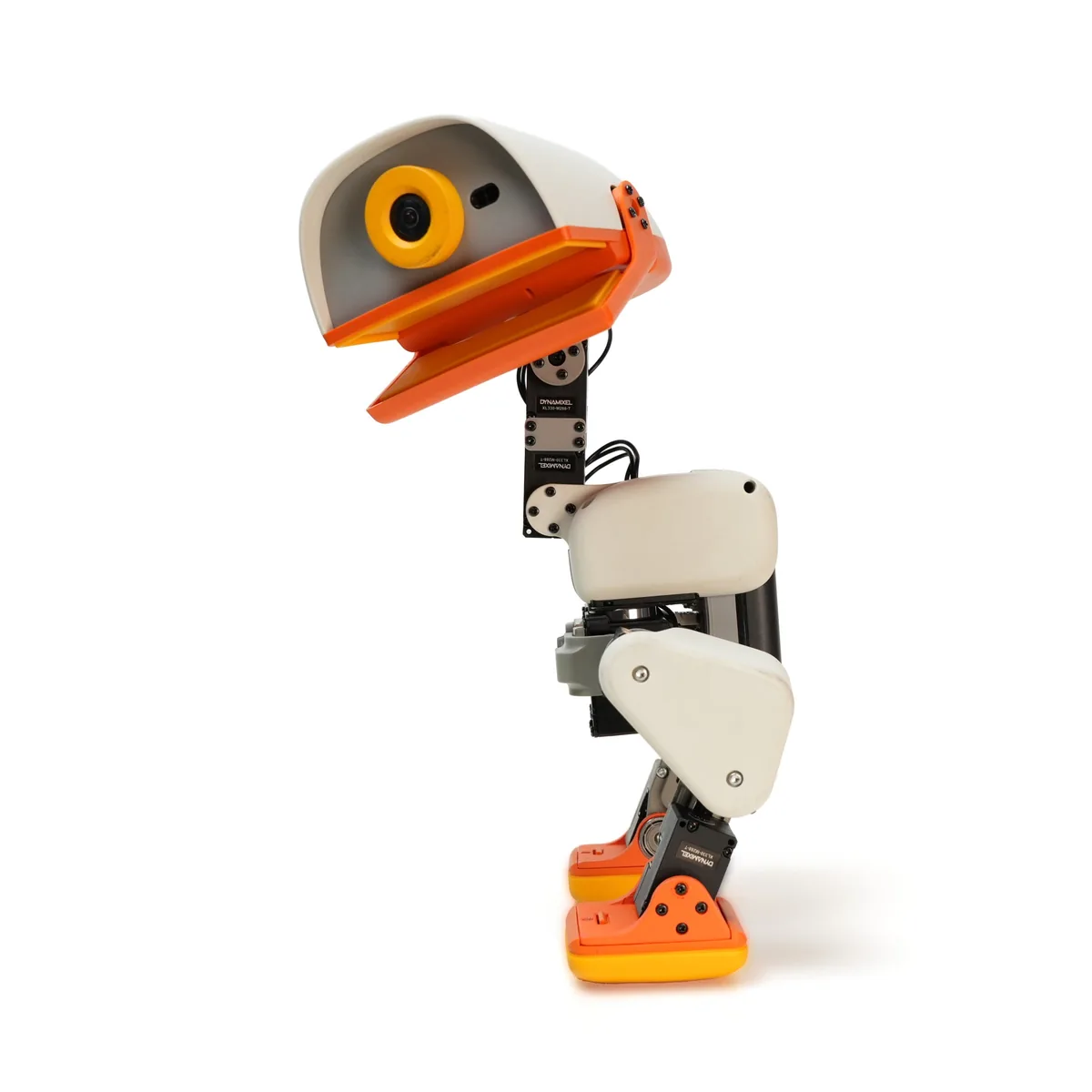
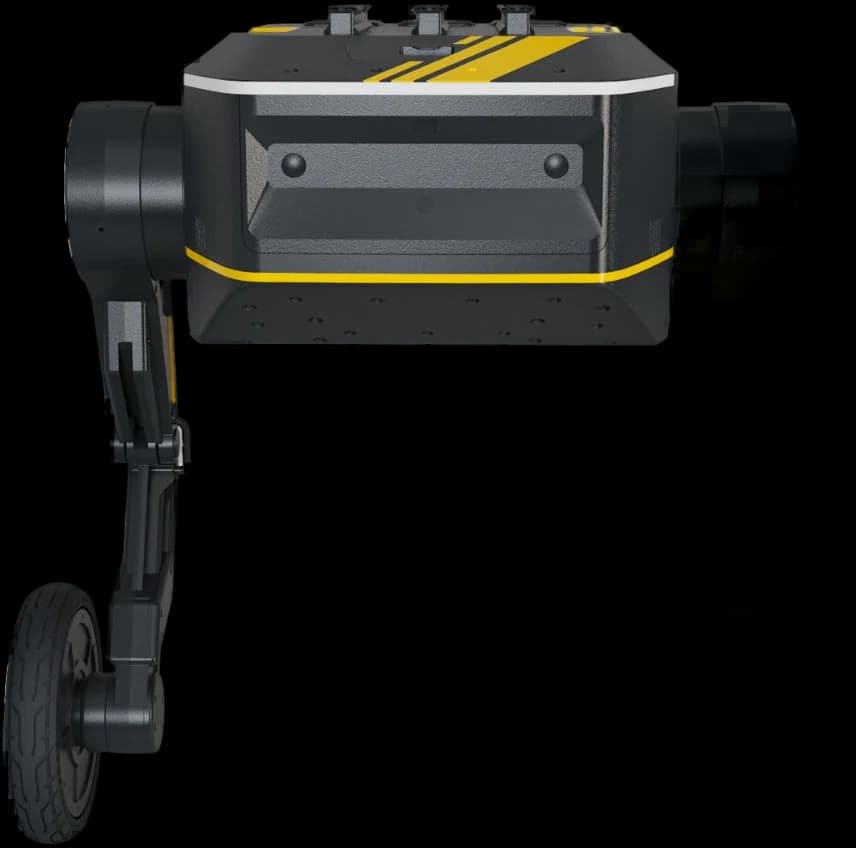
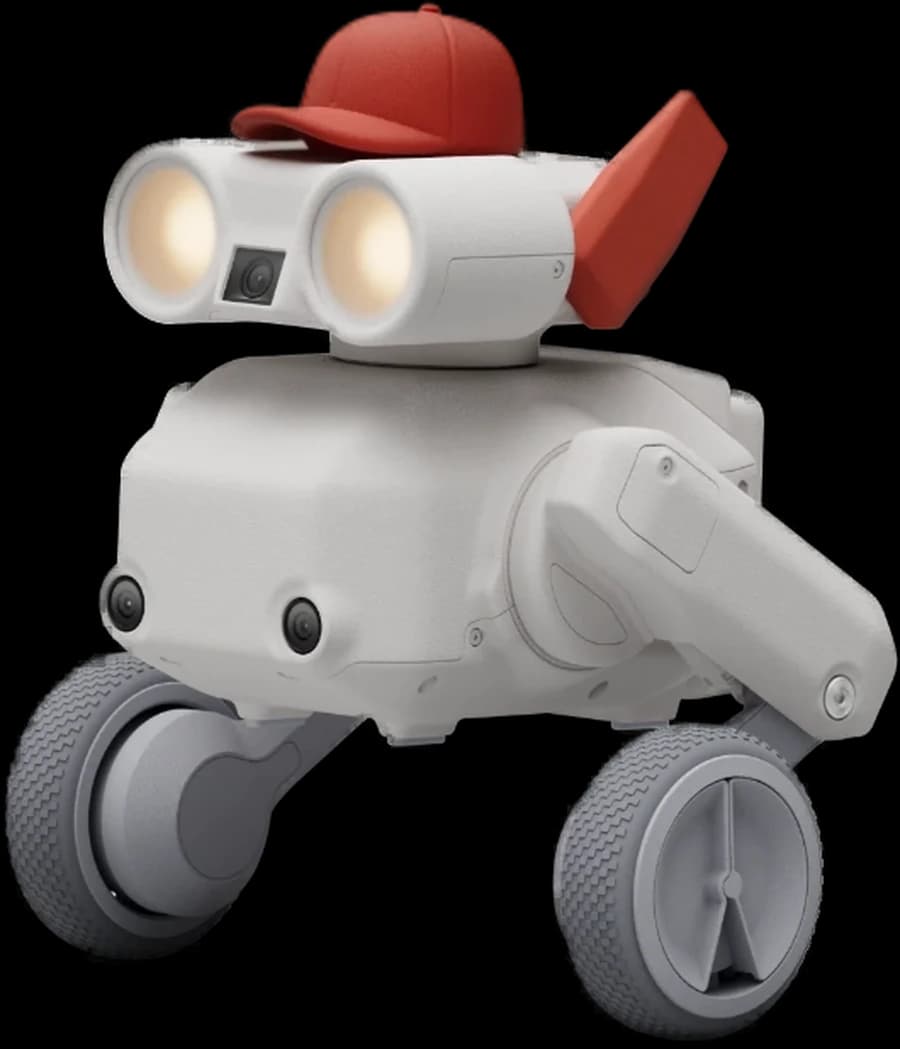
The Pollen Robotics Microduck is a 25 cm biped trained with reinforcement learning. With 15 motors, a camera, compact LiDAR, two IMUs and a grasping beak it walks, sits, gets back up and roller-skates.
Read moreShow less
It ships with a game controller and learns new moves in simulation through its open-source software stack.
Enterprise supply · specification support · integration engineering
1/10
Overview
Pollen Robotics is an open-source robot maker founded in Bordeaux in 2016 by former Inria researchers; it joined Hugging Face in April 2025 and is its robotics team today. Microduck is the team's second consumer robot, after Reachy Mini. Its 25 cm tall, 14 cm wide, sub-800 g body carries 15 motors, a Rockchip RK3566 processor with an AI accelerator, 1 GB RAM and 32 GB storage, a front camera with a REC-style light, a compact LiDAR with an 8x8 time-of-flight matrix, two IMUs in the body and head, a grasping beak, microphones and a speaker, two NFC antennas, Wi-Fi and Bluetooth.
A removable NP-F550 battery gives around one hour of runtime. It ships with seven trained moves and a game controller; the Apache-2.0 open-source software stack covers robot control, simulation, reinforcement learning training and simulation-to-real deployment. Pre-orders opened on 27 August 2026, with first deliveries targeted before Christmas 2026. Robotlar.org offers Microduck through enterprise sourcing for universities, schools and R&D teams.
Pollen Robotics' 51-second launch film. Walk, get up, grab, play, ride: Microduck in the bedroom, at the desk, on the pitch and at the skate park.
Video: Pollen Robotics
Sim2real that works
Meet the twin
The same learned behaviour side by side: in the simulator on the left and on the real Microduck on the right. The ducks were trained on this simulated twin, and the simulator is public on the manufacturer's Hugging Face page.
Policies are trained with PPO on mjlab (MuJoCo Warp) at 50 Hz, exported to ONNX and loaded by the runtime on the robot.
Physics down to the actuator
The Dynamixel XL330 servos are simulated with the BAM actuator model down to their voltage control law; battery voltage, voltage sag under load, command delay and friction are randomised per environment.
Gear backlash included
Every main task has a twin trained with ±1 degree of gear play in each of the 14 servo joints.
On your GPU or in the cloud
Local training needs a CUDA GPU; according to the manufacturer a usable gait takes 1-2 hours at 4096 parallel environments. Without a GPU, the same command runs on Hugging Face Jobs.
Teach it new tricks
Fun out of the box. Yours to retrain.
Every behaviour is a policy you can retrain on your own machine.
01
Train in simulation
Behaviours are learned in physics simulation, on your machine or on Hugging Face Jobs.
02
Deploy on the robot
One step from simulation to the real thing.
03
Refine the simulation
Tune, re-train, re-deploy.
04
Publish the policy
Share your new behaviour on the Hugging Face Hub; anyone with a Microduck installs it with one command.
Walk
Velocity-tracking gait.
Sit & stand
Sits down, holds the pose, stands back up on its own.
Kick
A one-shot kick, then straight back to walking.
Grab
Dips the beak to the ground, scoops and pops back upright.
Roller skating
Roller-skating locomotion when the skates are fitted.
Get back up
Flat on its back to standing, all by itself, ready for the next command.
Choose your colour
One robot, four colourways
Every Microduck ships in one of four colourways. Same robot, same brains underneath: only the shell changes.
Cream shells, orange trim and beak
In the wild
Out in the world
The real robot in real places: on desks, on the pitch, out at golden hour.
Roller skatingBalance recoverySquad stand-upChoraleSound onGrab and carry
Photos and videos: Pollen Robotics
Pick your pack
The robot, and what to add to it
The robot is everything you need on day one. The packs add play gear and spare parts.
The robot
Microduck
Robot, battery, USB-C cable, game controller.
One of four colourways. Everything you need to play before writing any code.
The NFC polaroid is a 1.54-inch colour e-ink display: tap it on the robot's head to see what it is dreaming about. Orange rollers are recommended for Cream and Sky, yellow for Graphite and Lavender.
Robot quantity, colour mix and packs are priced together in the quotation. Since a battery lasts around one hour depending on use, it pays to plan charger packs alongside the robots for classroom and lab setups.
Open source
Built in the open
The SDK, the simulation and the full RL training stack are on GitHub. What the robot runs is what you can read, fork and retrain.
Apache-2.0
The whole software stack, permissively licensed
MuJoCo
The physics sim every policy is trained in
7
Policies: every shipped move, published and retrainable
The duck's brain is a handful of Rust daemons on a Rockchip RK3566: a 50 Hz control loop driving fifteen servos from neural policies, the radios and the camera, and the update machinery that gets new software onto a robot without bricking it. They all talk over one JSON-RPC contract on Unix sockets, and every client (the app, the console, the gamepad, your script) sends exactly the same calls.
ssh microduck
$robotctl monitor# status of the robot
$robotctl configure# configure the robot
$robotctl update# update the robot
Daemons on the robot
robotdControl loop and motor bus
updaterdInstalls signed releases, rolls back if the robot comes up unhealthy
configdWi-Fi and identity
btdThe Bluetooth path a phone uses
paddThe gamepad
mediadStreams the camera over WebRTC
tofdServes the depth sensor
Tools
robotctlDriving, configuration, voice, chorale, Wi-Fi, updates and logs; policies install from the Hugging Face Hub with one command.
duckctlRuns the robot from a laptop over Bluetooth, with no network and no ssh.
duck-simNo robot on the desk? Runs the real daemons against a body in MuJoCo: one duck in a window, or four as machines you log into.
2 videos: manufacturer footage and field recordings. Tap a cover to play.
Pollen Microduck product video
Pollen Microduck product video 2
Use Cases
The use cases the manufacturer defines for the Pollen Microduck.
01Education and research
02Performance and events
03Companionship and home
Key Advantages
AI That Acts, Not Only AI That Interacts
Pollen Robotics' first consumer robot, Reachy Mini, was designed for human-robot interaction: it sees, listens and speaks.
Microduck starts from the other side of physical AI, action.
(1) Teaching a robot to move: training a behaviour in simulation, transferring it to real hardware, seeing what went wrong and trying again.
(2) Finding out by experiment what changes when the robot leaves the desk, carries something, falls over and gets back up. (3) A platform for developers who want to train physical behaviours, experiment with reinforcement learning and test how AI moves from simulation into the real world.
Why Small: Cheap Failure, Free Experimentation
Learning movement is messy: a robot has to try, fail and try again.
On a large humanoid every bad attempt can be expensive, hard to reset or simply unsafe outside a robotics lab.
(1) With 25 cm and under 800 g, a failed behaviour usually ends with a little robot on the floor, not a major incident.
(2) Experiments can run at home, in a classroom or on a normal workbench. (3) Self-recovery means you do not have to pick the robot up after every failed attempt. (4) The small size keeps price and setup manageable too: learning legged movement does not require a large research platform or a dedicated lab.
Playable Out of the Box
Microduck was not meant to be a development kit that only becomes interesting after a weekend of setup; it comes with learned behaviours and is usable straight away.
(1) You drive it with a gamepad and trigger moves with a button.
(2) It can follow a laser dot or react to its surroundings.
(3) The first interaction starts without writing any code; the same robot becomes a complete development platform when you want it to. (4) The behaviours in the box are not the limit of what the robot can do, they are a starting point.
Grasps With Its Beak, Recognises With NFC
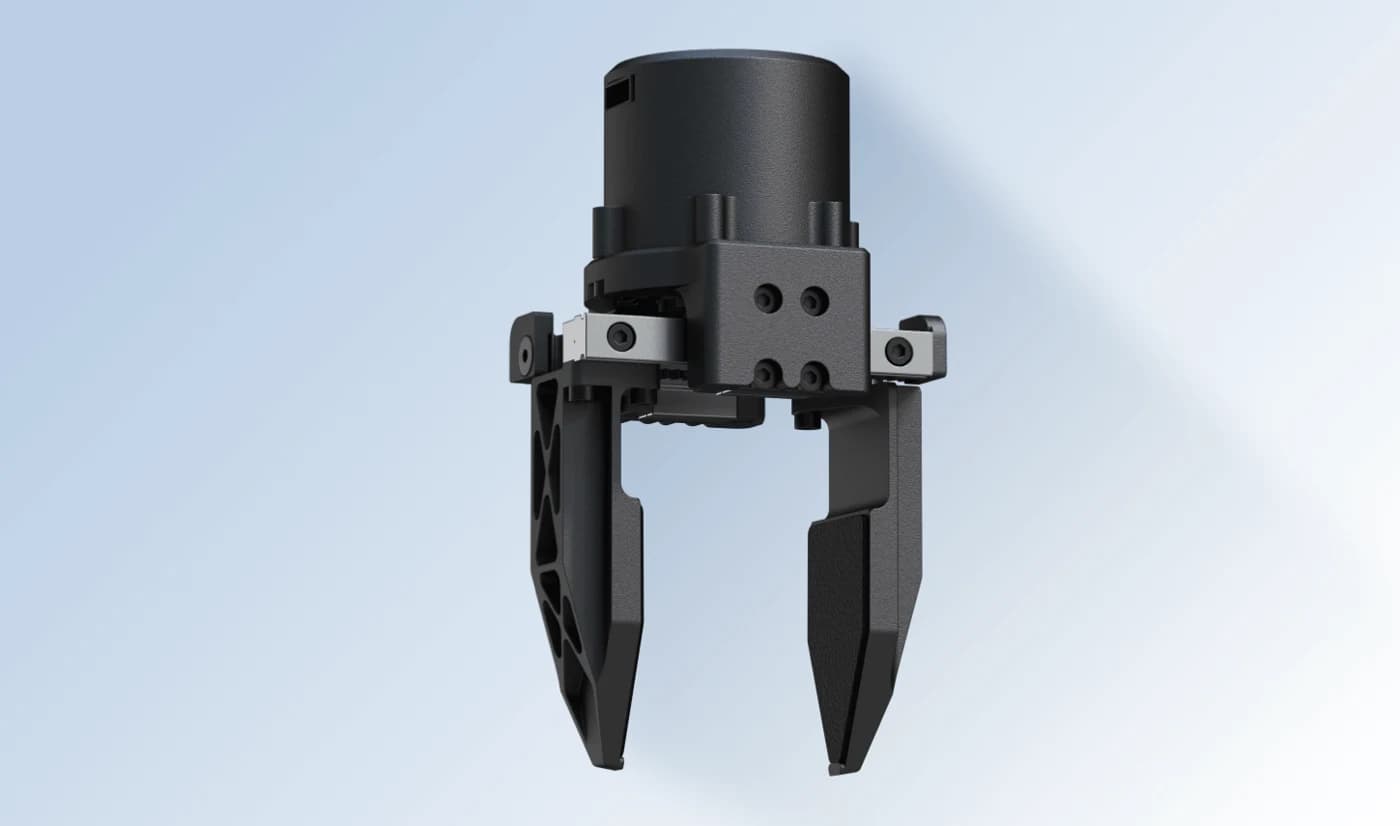
The articulated beak is more than a character detail: it is a gripper.
(1) The whole body lowers, the beak closes and the object comes along.
(2) There is an NFC antenna in the head and another in the beak; NFC tags create custom interactions, triggers and behaviours.
(3) The NFC polaroid in the accessory pack is a 1.54-inch colour e-ink display: tap it on the robot's head to see what the robot is dreaming about. (4) Rollers, a ball and a laser pointer in the same pack extend the games.
A Voice of Its Own
Microduck does not speak with words; it communicates through weird little sounds, closer to a creature than an assistant.
(1) Each Microduck gets its own audio identity the first time it wakes up; the voice is tied to that robot and stays the same for life.
(2) Microphones and a speaker are onboard.
(3) robotctl commands run voice, chorale and theremin; several robots together can sing like a choir. (4) The character does not hide the mechanics: Microduck is still clearly a robot, just one that does not take itself too seriously.
Sees, Measures, Keeps Its Balance
The small body carries a real sensor set.
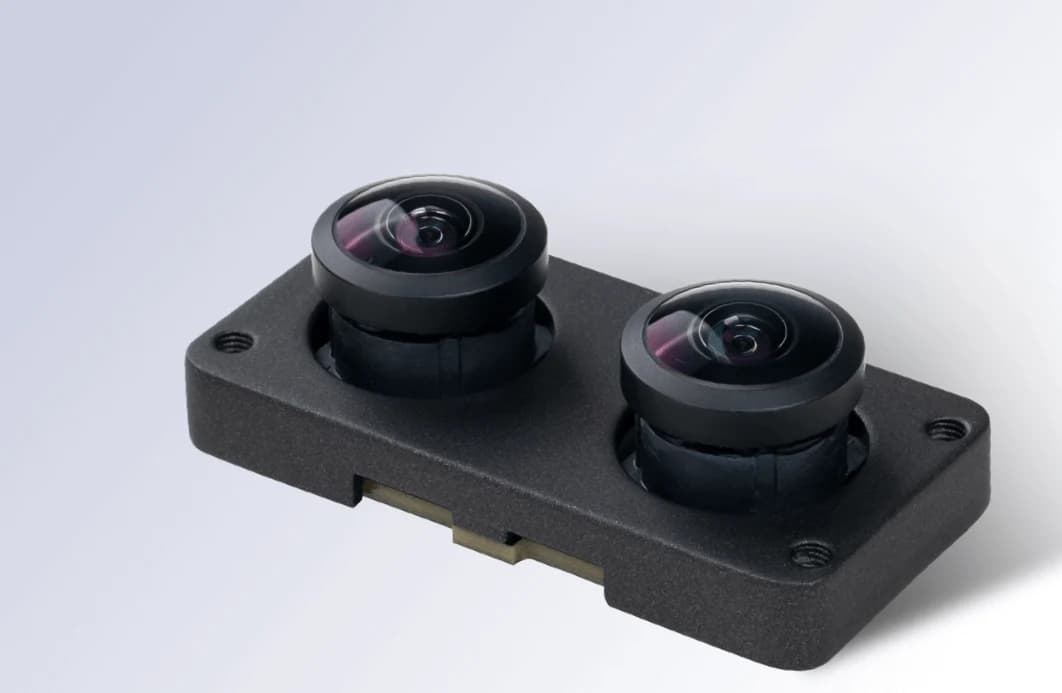
(1) The wide-angle front camera comes with a dedicated use indicator inspired by classic REC lights: when the camera is on, everyone nearby can see it.
The feed is streamed over WebRTC.
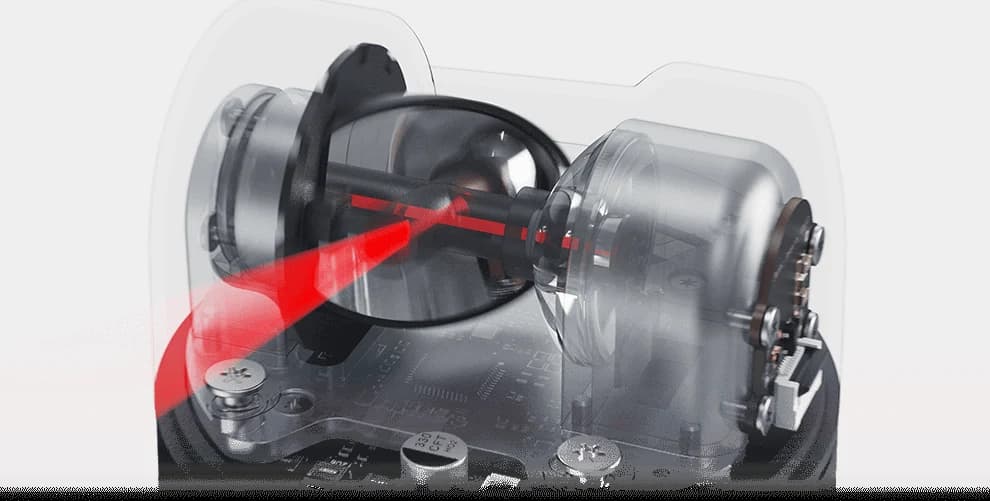
(2) The compact LiDAR measures distance ahead with an 8x8 time-of-flight matrix. (3) One IMU in the body and one in the head track balance and head pose separately. (4) Compute sits onboard on a Rockchip RK3566 with an AI accelerator; policies run in a 50 Hz loop.
Ten Times More Fun With Several
In the Pollen team's own words, a very unscientific observation: Microduck is about ten times more fun when there are several of them.
(1) Races, football or simply robots reacting to one another make the experience feel alive immediately.
(2) For developers, a practical way to explore multi-robot behaviours without a room full of expensive hardware.
(3) According to the manufacturer, football is better with three and races are better with four. (4) With four colourways, a group of robots looks like a collection of different characters rather than identical machines.
Pollen Microduck: What It Carries, and Where
Front camera and REC light
Wide-angle front camera; a dedicated indicator inspired by classic REC lights shows people nearby when the camera is in use.
Grasping beak and NFC
The articulated beak picks objects up and carries them. NFC antennas in the head and the beak interact with tags.
Microphones and speaker
Creature-like sounds instead of words. Each robot has its own voice, generated at first wake-up and kept for life.
Two IMUs
One in the body, one in the head: balance and head pose are measured separately.
Rockchip RK3566 + AI accelerator
1 GB RAM, 32 GB storage. Neural policies run onboard in a 50 Hz loop.
Compact LiDAR
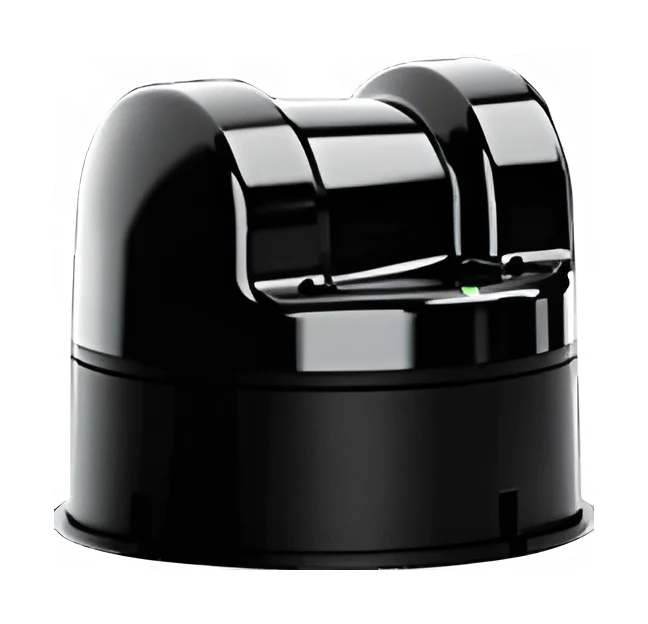
Measures distance ahead with an 8x8 time-of-flight (ToF) matrix; the range figure is not final yet.
15 degrees of freedom
5 joints per leg (three-axis hip, knee, ankle), 4 in the neck and head, plus the beak; Dynamixel XL330 servos.
Removable battery
NP-F550 camera battery, 2600 mAh; around one hour depending on use.
The Pollen Microduck up close
7 images; tap to enlarge.
Which robot for which job?
The Pollen Microduck is a candidate for all of these jobs; in each scenario our catalogue also holds other bodies that can do the same work. The right robot follows from the job itself and the delivery timeline.
University RL and sim2real lab
Within a single week a student trains a walking policy in simulation, deploys it to the robot, sees what differs on the real robot and refines the simulation. The small body makes falling cheap, and self-recovery keeps the experiment pace.
The workshop starts with the gamepad and the laser dot, then moves on to building triggers with NFC tags and to robotctl commands. A four-colour group of robots makes teamwork and multi-robot games feel natural.
On the stand four Microducks play football, race or sing like a choir; visitors take the gamepad and drive a robot themselves. The small size keeps transport and setup easy, and the colourways stand apart visually.
The team first tests reward design, domain randomisation and policy hand-over on the small robot on the desk. The same mjlab and MuJoCo toolchain is used in full-size humanoid projects too, so concepts and habits carry over to the bigger platform.
24 values in 5 categories; data published by the manufacturer.
Size and weight
Dimensions (standing)
25 cm tall, 14 cm wide
Weight
Under 800 g
Power and runtime
Battery capacity
2600 mAh, removable NP-F550 camera battery
Battery
Removable NP-F550 camera battery; a dual charger comes in the charger and dev packs
Runtime
Around 1 hour (depending on use)
General structure
Mobility form
Bipedal walking, sitting, crouching, getting up from falls; wheeled gliding with roller skates fitted
Degrees of freedom
15 DoF (legs, neck and head)
Leg DoF
5 DoF
End effector
Articulated grasping beak with an NFC antenna
Joint motor
Dynamixel XL330 servo motors (per the actuator model in the manufacturer's RL repository)
Manufacturer note
Provisional: camera resolution and field of view, LiDAR range, radio versions, SDK languages and any age recommendation (manufacturer press kit, September 2026).
Joint layout
5 joints per leg (hip yaw, roll, pitch; knee; ankle), 4 joints in the neck and head, plus the beak
Colourways
Cream, Graphite, Lavender, Sky; same robot, different shells
In the box
Robot, battery, USB-C cable, game controller
Software licence
Software stack Apache-2.0; mechanical and electronic design not open; 3D models in the RL repository CC BY-NC-SA
Availability
Pre-orders from 27 August 2026; first deliveries targeted before Christmas 2026
Size and weight
Dimensions (standing)
25 cm tall, 14 cm wide
Weight
Under 800 g
Power and runtime
Battery capacity
2600 mAh, removable NP-F550 camera battery
Battery
Removable NP-F550 camera battery; a dual charger comes in the charger and dev packs
Runtime
Around 1 hour (depending on use)
Sensors and connectivity
Sensors
Wide-angle front camera with a camera-use light; compact LiDAR (8x8 time-of-flight matrix); two IMUs (body and head); microphones
Interfaces
robotctl command line, SDK, JSON-RPC; MuJoCo simulation and RL training tools (Apache-2.0)
Connectivity
Wi-Fi and Bluetooth; management from a laptop over Bluetooth (duckctl)
Wireless
Wi-Fi and Bluetooth
Interaction
Speaker with a per-robot generated voice; game controller; two NFC antennas in the head and the beak
Microduck: Technical Assessment for Education and ResearchDesign decisions, comparison table and evaluation
Who Is It For?
Microduck is positioned for teams that want to teach reinforcement learning and simulation-to-real transfer on real hardware. It lets you run the train, deploy, fail and refine loop at classroom pace, without the cost, safety requirements and reset effort of a full-size humanoid.
University: RL, control and sim2real courses, capstone and graduate projects
High schools, science centres and coding workshops: activities that start with play and deepen with code
R&D teams: reward design and policy hand-over experiments before moving to a full-size platform
Events and trade shows: multi-robot demos, races and football
Training Tasks: What Is in the RL Repository?
The microduck_rl repository contains the environments in which the policies running on the robot were trained. Most tasks have flat and rough terrain variants; because every policy shares the same 61-dimensional observation contract, the robot can hand over between walking, recovery and trick policies at any moment.
Velocity-commanded walking with head-pose control (the main task)
Walking and fall recovery in one policy
Standing up from face-down, face-up or sitting
Commanded sit and stand; touching the ground with the beak tip and returning to stand
Kicking a 70 mm, 15 g ball; rolling forward over the head and landing on the feet
Roller velocity tracking, crouching, gliding down slopes, standing up onto the wheels and fast spins in place
Why Does Sim2real Work?
According to the manufacturer, at this scale (tiny servos driving a roughly 800 g biped) actuator fidelity is most of the sim2real gap. That is why the servos are modelled down to their voltage control law instead of an ideal PD controller.
BAM actuator model: voltage control, back-EMF and load-dependent friction for the Dynamixel XL330
Per-environment randomisation: battery voltage, voltage sag under load, command delay, friction
Backlash twins: ±1 degree of play in each of the 14 servo joints, with the encoder on the output side
The observation normaliser is baked into the ONNX graph, so the robot never sees unnormalised inputs
Limits and Provisional Information
Camera resolution and field of view, LiDAR range, radio versions, SDK languages and any age recommendation are not final yet
The open-source scope is the software; mechanical and electronic design files are not open, and the 3D models in the RL repository are licensed CC BY-NC-SA (non-commercial)
The battery lasts around one hour depending on use; long sessions need spare batteries
Local training requires a CUDA GPU; without one, Hugging Face Jobs is used
The robot is not designed for payload handling, field work or physical collaboration with people
Microduck and Education Platforms in the Catalogue
Feature
Pollen Microduck
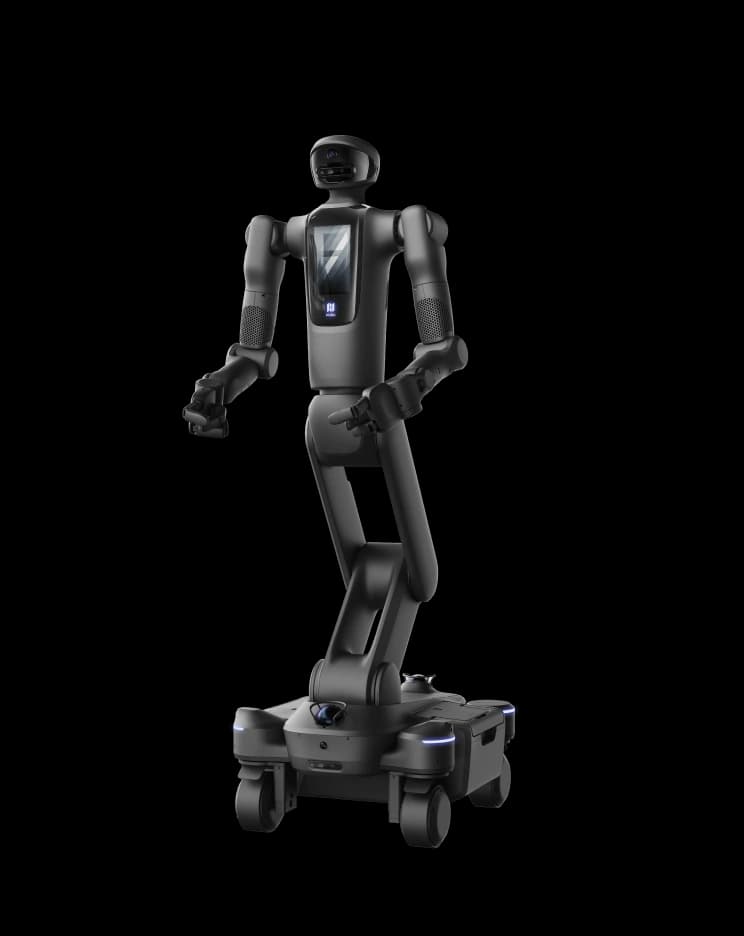
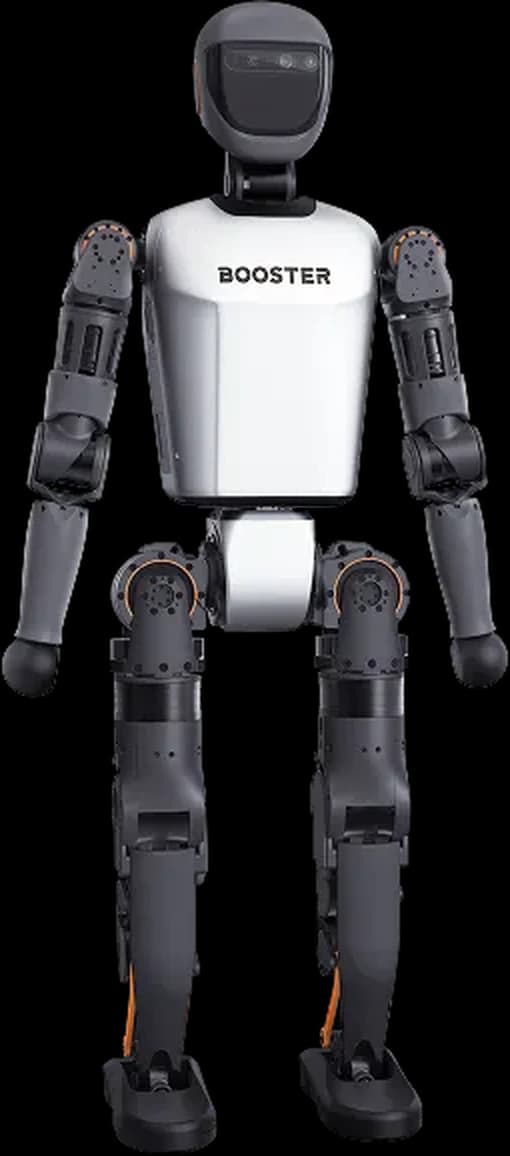
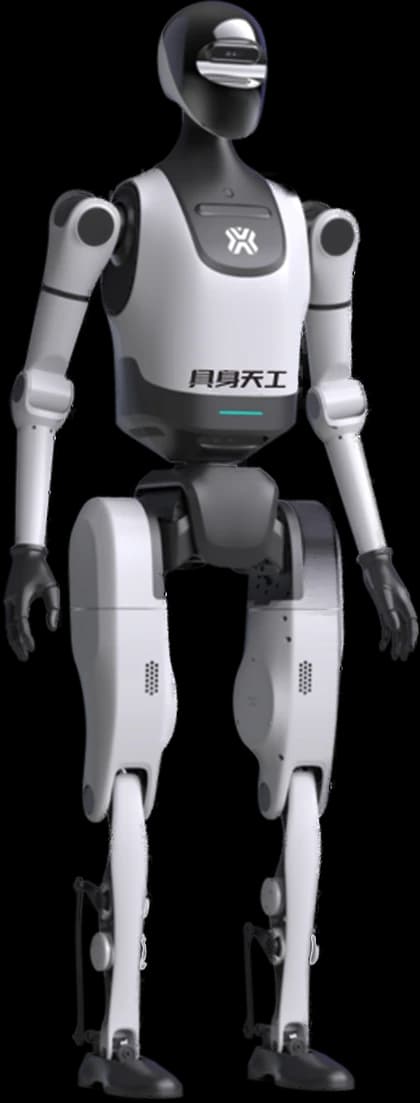
Booster K1
Unitree R1
DEEP Robotics Lite3
Body
Biped with a beak
Biped humanoid
Biped humanoid
Quadruped
Height
25 cm
About 95 cm
About 123 cm
406-496 mm (by version)
Weight
Under 800 g
19.5 kg
About 29 kg (R1)
12-12.9 kg
Runtime
About 1 hour
30-80 minutes (by version)
About 1 hour
1.5-2 hours
Degrees of freedom
15
22
26 (R1)
Not listed
Typical use
RL and sim2real teaching, desktop experiments
Entry-level embodied AI development
Entry-level humanoid development
Legged locomotion research and teaching
Assessment
Microduck is one of the few platforms that bring legged robot training down to the desktop: 15 motors, a real sensor set (camera, 8x8 ToF, two IMUs) and an open software stack reaching from simulation to the robot, all in a small body. It does not replace a full-size humanoid and was not designed for payloads, field work or physical work with people. But it clearly lowers the cost and risk threshold for students to try concepts such as reward design, domain randomisation and policy transfer with their own hands. For a classroom or lab setup, the right question is not one robot but how many robots, and how many spare batteries per robot.
Purchasing support
Supply model
Supply to Turkey is planned per project; import, delivery and commissioning scope are itemised in the quote.
Pre-sales assessment
Site and mission focused technical feasibility; specification and administrative process support.
Robotic system costs are optimised according to the selected hardware platform, additional sensor and payload configurations, and the integration scenarios specific to your site. Share your requirements and our engineering team will prepare a feasibility report and a pro forma quotation tailored to your organisation.
Supply and delivery scheduling backed directly by the manufacturer
Site- and mission-focused technical feasibility and simulation
Turnkey hardware, software and mission integration
Advisory on corporate tenders, specifications and administrative processes
The most common questions about the Pollen Microduck.
What is Microduck and who makes it?
Microduck is a 25 cm biped robot weighing under 800 g, developed by Bordeaux-based Pollen Robotics. It has 15 motors, a camera, a compact LiDAR, two IMUs and an articulated beak that grasps objects. Pollen Robotics was founded in 2016 by former Inria researchers, joined Hugging Face in April 2025 and is its robotics team today. Microduck is the team's second consumer robot, after Reachy Mini.
How much does Microduck cost and how is it sourced in Turkey?
The manufacturer publishes an introductory pre-order price before taxes and shipping on its own page; that price applies to direct sales in launch countries. Robotlar.org prices sourcing per project: robot quantity, colour mix, charger, dev and accessory packs, import and delivery terms are settled together in a corporate quotation. For a classroom or lab set, use the quote form on this page.
When can it be delivered to Turkey?
Pre-orders opened on 27 August 2026 and the manufacturer targets first deliveries before Christmas 2026. At launch it sells to the US, Canada, the European Union, the UK, Norway, Switzerland, Japan and South Korea, with more countries to follow. Since Turkey is not on that list, the delivery schedule is set per project according to the manufacturer's shipping plan.
Is Microduck open source?
The software stack is open source under Apache-2.0: the robot software and SDK live in pollen-robotics/microduck, the reinforcement learning and sim2real tools in pollen-robotics/microduck_rl. The mechanical and electronic design files are not open, and the manufacturer asks that the robot not be described as open-source hardware. The 3D model files in the RL repository are released under the non-commercial CC BY-NC-SA licence.
Can it be used without coding?
Yes. The robot ships with trained behaviours and a game controller: it walks, sits and stands, kicks, picks things up with its beak, glides with roller skates fitted and gets back up on its own after a fall. It can follow a laser dot or react to its surroundings. Code comes in when you want to retrain these behaviours or add new ones.
How do I teach it a new move, and do I need a GPU?
Behaviours are trained in simulation in the microduck_rl repository with mjlab (MuJoCo based) and PPO, exported to ONNX and deployed to the robot. Local training needs a CUDA GPU; according to the manufacturer a usable gait takes 1-2 hours at 4096 parallel environments. Without a GPU, the same training command runs on Hugging Face Jobs. The new policy is published to the Hugging Face Hub, and anyone with a Microduck installs it with one command.
How long does the battery last?
The robot runs on a removable NP-F550 camera battery (2600 mAh) and lasts around one hour depending on use. The charger pack contains two batteries and a dual charger that charges both at once. Planning spare batteries per robot avoids interruptions in lessons and workshops.
What is in the box, and which packs can be added?
The box contains the robot, a battery, a USB-C cable and a game controller. The charger pack (dual charger, 2 batteries), the dev pack (3 spare motors, 5 motor cables, 2 batteries, charger, 10 NFC tags, Hugging Face credit, screwdriver, screw pack) and the accessory pack (laser pointer, NFC polaroid, 2 rollers, ball, 10 NFC tags) are added separately.
How does it differ from Reachy Mini?
Reachy Mini was designed for human-robot interaction: it sees, listens, speaks and communicates with its head and body, a platform for conversational AI and vision models. Microduck was designed for movement: training a behaviour in simulation and transferring it to real hardware, falling and recovering, carrying objects. In the manufacturer's words, Reachy Mini is a platform for AI that interacts and Microduck is a platform for AI that acts. Both are meant to be fun when first switched on, approachable when you start coding and powerful enough to become serious development platforms as projects grow.
Which technical details are not final yet?
According to the manufacturer's press kit, camera resolution and field of view, LiDAR range, radio versions, SDK languages and any age recommendation are still being finalised and should be treated as provisional. The page will be updated when final figures are published.
How many robots make sense for a classroom?
The manufacturer says Microduck is clearly more fun with several robots: races, football and robots reacting to one another. Football is said to be better with three and races with four. Multi-robot behaviour experiments need at least two robots; for a course setup, planning one robot per student group and a spare battery per robot makes good use of lesson time.