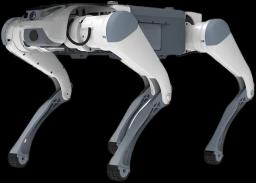
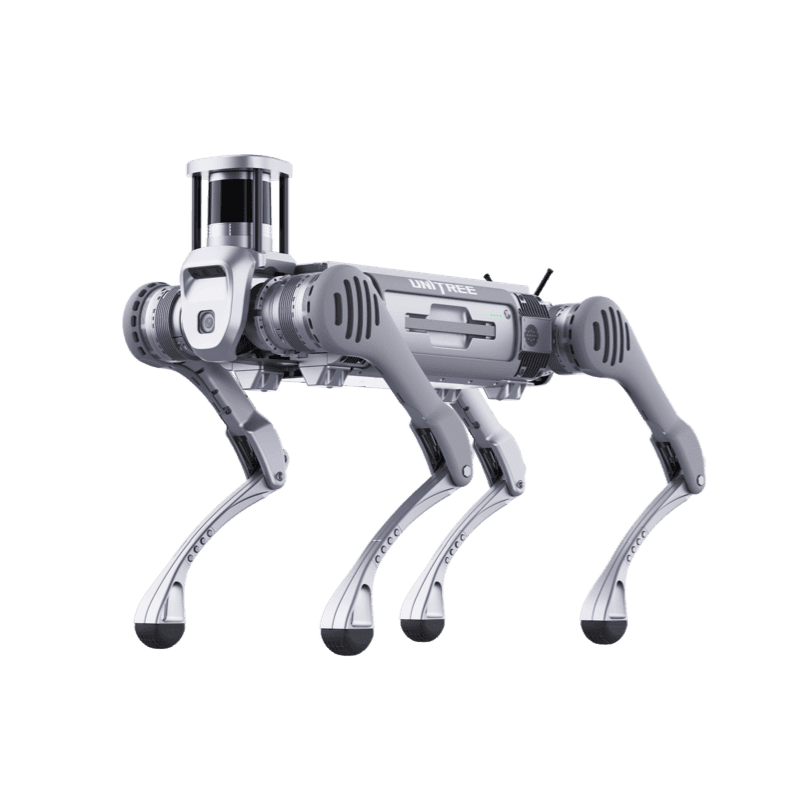
Why put a thermal camera on a quadruped robot?
A thermal camera makes an invisible failure signature visible: a temperature difference. A quadruped robot can walk the same route at the same angle and distance every shift, so measurements become comparable over time. The trend of one point over weeks is worth more than a single reading. There are four typical jobs:
- Substations and switchyards: busbar joints, disconnector and breaker contacts, cable terminations. A loose or oxidised connection runs visibly hotter than its surroundings under load.
- Pipes and process equipment: insulation loss, steam traps, temperature changes around valves and flanges caused by leaks.
- Motors, pumps and bearings: bearing housing and coupling temperature, blocked cooling passages.
- Panels and cabinets: switchgear, MCC cabinets, UPS and battery rooms. Only the outer surface is visible with the door closed; know this limit.
One limitation is worth stating upfront: a thermal camera reads surface temperature, not internal temperature. On reflective metal (bare copper, bright aluminium) emissivity is low and readings deviate from the real value. Camera selection alone is therefore not enough; route, distance and emissivity setting are part of the inspection procedure. For the wider platform picture see industrial robots and the robot types guide.
What is the difference between radiometric and non-radiometric cameras?
A radiometric camera carries a temperature value in every pixel and ships with a calibration certificate. The operator picks a point and gets a reading in degrees, alarms can fire when a threshold is crossed, and the data feeds trend analysis. A non-radiometric camera gives only a contrast image: it shows that a point is hotter than its neighbour but not by how many degrees. That is enough for security surveillance and often not enough for equipment condition monitoring.
Public datasheets frame accuracy differently. The Workswell WIRIS Enterprise G datasheet gives "±2 % or ±2 °C" for the radiometric version, with ranges up to +150 °C in low gain and +350 °C in high gain; the Sunell SN-TPT6434QZ-M product page lists ±2 °C or ±2 % from -20 to 150 °C; the Boston Dynamics Spot CAM+IR datasheet lists radiometric accuracy of ±5 °C. The upper measurement limit matters as well: a camera limited to 150 °C can saturate on hot process lines or serious busbar faults. Write both accuracy and measurement range as separate items in the specification.
Note also that the radiometric and non-radiometric versions of the same core are sold under different part numbers, and their export classification can differ. Name the exact part number in the tender.
Resolution and frame rate: why does 9 Hz versus 30/60 Hz matter?
Most cameras in this class are 640x512 with a 12 micron pixel pitch and an uncooled microbolometer in the long-wave infrared (LWIR) band. Higher resolution (for example, per the Workswell brochure, a 1280 pixel HD option in the WEOM family alongside 640 pixels) means more pixels on the same equipment from a distance; ask separately about cost and export conditions for that version.
Frame rate matters for two separate reasons:
- Operational: While the robot walks or its body turns, motion blur and latency are noticeable at 9 Hz. If the robot stops to look (stop-and-look method), 7.5-9 Hz is acceptable for most inspections. The Boston Dynamics Spot CAM+IR datasheet states 7.5 Hz at 640x512, so the ready-made thermal payload offered for Spot operates in this class too.
- Export control: In some countries' control lists, frame rate is one of the thresholds deciding whether a thermal camera needs a licence. On the US Commerce Control List (CCL), Note 3.a to 6A003.b.4.b releases imaging cameras with a maximum frame rate of 9 Hz or less from that entry; they fall under ECCN 6A993.a, controlled for anti-terrorism (AT) reasons only. Teledyne FLIR states ECCN 6A003.b.4.b for the Hadron 640R, which runs at up to 60 Hz, and describes it as dual use. The Workswell WEOM brochure likewise states that a <9 Hz configuration needs no extra licence for global export. Manufacturer statements are declarations only; military end-user licence requirements still apply to 9 Hz and slower cameras, and the outcome depends on end user and country (see the export control section).
Practical consequence: ask for both the 9 Hz and the 30/60 Hz version of the same core, and work out the frame rate you really need from the inspection scenario. In panel and motor inspection the robot stops at the measurement point anyway; for continuous scanning on the move (for example along a cable tray) a higher rate makes sense. Choose frame rate for the task, not for export convenience, and confirm where the two meet in writing.
Interface: how to choose between a USB/MIPI core and an Ethernet/RTSP camera?
Thermal products come in two architectures, and the workload on the robot side depends on the choice:
- OEM core (USB3, MIPI): According to the FLIR product page, the Teledyne FLIR Hadron 640R outputs both MIPI and USB3; the core has no housing, cooling, window protection or network interface. You need an embedded computer (Jetson class or the robot's own computer) to capture and stream the image. Advantage: small, light, low power, full software control. Disadvantage: housing, IP protection, thermal management and vibration details are the integrator's responsibility. For the Boson+ family the FLIR page lists 60 Hz default, 30 Hz selectable and optional radiometry; at family level, modules start at 7.5 grams and 600 mW.
- Ready network camera (Ethernet, RTSP, ONVIF): The Sunell SN-TPT6434QZ-M product page lists RTSP/RTP and ONVIF (Profile S/T/G/M); the Workswell WIRIS Enterprise G offers RTSP video and API control over Ethernet. These plug into the robot's network and stream over it; a separate embedded computer is not mandatory. For automatic tours, threshold alarms and ROS 2 integration you still need a computer (or an operator station).
Decision rule: a team that will build its own housing, gimbal and software can pick the OEM core. An organisation that wants fast commissioning, a full IP housing and a ready network interface picks the ready camera. Robotlar.org handles the integration side on either path (last section).
How do power, weight and robot payload match?
The weight on a datasheet is only one line item on the robot: mounting plate, vibration dampers, DC-DC converter, cables and protective cage all count as payload. On the power side the issue is voltage. Ready cameras typically take a single voltage: the Workswell WIRIS Enterprise G states a 12 VDC input with under 21 W average dissipation, the Sunell SN-TPT6434QZ-M a 12 VDC input with 18 W typical and 36 W maximum; per the Topotek product pages the DHU30G625 takes 12-26.2 V with 6 W dynamic and the FSD30G619 takes 12-26 V with 7.8 W static. FLIR cores are very low power (the page quotes from 600 mW for the Boson family); take voltage and power per part number from the datasheet and feed them from a robot rail through a suitable converter.
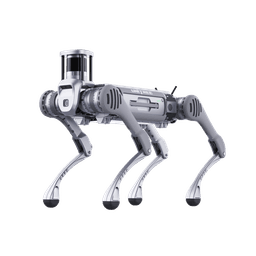
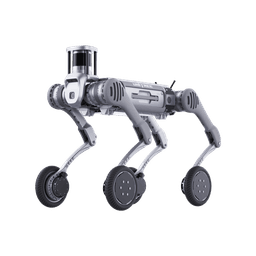
On the robot side the Unitree B2 has 12 V (4), 24 V (4) and 5 V (1) outputs plus a battery output; the DEEP Robotics product page lists a 24 V / 12 V / 5 V (USB) power interface for the X30 Pro and only a 72 V power interface for the standard X30. The per-port current limit is not clear in public sources; for a camera drawing 36 W (about 3 A at 12 V), get written confirmation from the manufacturer. Do not tap the robot's main battery line (58 V class on the B2) directly; use an isolated DC-DC converter and keep camera and robot electronics separated.
Weight comparison (manufacturer data): Topotek DHU30G625 about 645 g, Topotek FSD30G619 about 1150 g; Workswell WIRIS Enterprise G under 920 grams; Sunell SN-TPT6434QZ-M about 5 kg and 348 x 200 x 200 mm; Boston Dynamics Spot CAM+IR 7.5 kg in front mount. Remember that Spot CAM+IR carries a 360 degree camera, PTZ and microphone at once; single-purpose thermal heads can be much lighter. See the robot fit table for walking payload limits.
Does the IP rating and temperature range suit the site?
If the robot is IP67 and the camera is IP54, the camera defines the durability of the system. Public values:
- Sunell SN-TPT6434QZ-M: IP66, -40 to +60 °C.
- Workswell WIRIS Enterprise G: IP54, -15 to +50 °C (preliminary datasheet, 9 February 2026).
- Topotek FSD30G619: IP67, -10 to +45 °C. Topotek DHU30G625: -10 to +55 °C; no IP rating is stated on the product page.
- Boston Dynamics Spot CAM+IR: IP65, -20 to +55 °C.
- Robot side: Unitree B2 and B2-W IP67 and -20/+55 °C; DEEP Robotics X30 IP67 and -20/+55 °C; for the DEEP Robotics Lite3 the manufacturer gives 0/+40 °C operating temperature and publishes no IP rating (manufacturer pages).
Read these ranges together: on a winter site where the robot runs at -20 °C, a camera rated to -15 °C is the weak link; on a rainy site an IP54 camera cannot use the robot's IP67 class; an IP67 gimbal with a -10 °C lower limit can still be the weak link on a winter site. For an OEM core the IP class sits in the housing the integrator designs, not in the camera; housing class and thermal management must be verified separately. Explosive atmospheres (petrochemical Ex zones) are a separate certification matter; no public Ex certificate for any product in this guide has been verified here.
Stabilisation: gimbal or fixed head?
A walking quadruped sways and vibrates with its gait. With 30x optical zoom reading from a distance, that vibration can make the image unusable. There are three options:
- 3-axis gimbal: The Workswell WIRIS Enterprise G is described as a "3-axis stabilized gimbal" (mechanical range yaw ±345°, pitch -90/+135°, roll ±45°). The Topotek product pages give roll ±45°, pitch -40/+100°, yaw ±295° for the DHU30G625 and roll ±40°, pitch -40/+120°, yaw ±280° for the FSD30G619, with 30x optical zoom and a ±0.02° jitter figure for both. The WIRIS datasheet wording ("during the flight", MAVLink support) shows it is designed for drones; the S.BUS and PWM RC control options on the Topotek gimbals also point to aircraft payload use. Performance under walking-robot vibration must be verified separately.
- Pan-tilt-zoom (PTZ) head: The Sunell SN-TPT6434QZ-M offers endless 360 degree pan and -90/+90 degree tilt; its product page does not list gimbal stabilisation, only anti-shake under image enhancement for the visible camera. It makes sense with stop-and-look or software stabilisation.
- Fixed camera: A wide-angle, no-zoom thermal camera bolted to the robot body; the lightest, simplest and cheapest option. For close-range jobs such as panel and motor temperature it is often sufficient.
Rule: if you need to read from a distance (gauges, valve position), consider a gimbal or a stabilised PTZ; if you need close-range temperature measurement, a fixed head with the robot stopping to measure is often more dependable.
Why specify offline (no-cloud) operation?
In energy, petrochemical and public facilities, inspection data often must not leave the plant network. The specification should state: the camera and robot must work without any outbound connection (cloud, P2P, DDNS, remote update); video and measurements must be retrievable on the local network (RTSP, ONVIF or API); recording must be possible to the device's own storage or a site server. Public pages give some basis: the Workswell WIRIS Enterprise G lists recording to a 128 GB internal SSD and RTSP/API over Ethernet; the Sunell product page lists local network protocols (RTSP, ONVIF, HTTPS). That is not proof that a device never talks to the outside.
Verify before delivery: run the device on an isolated network and check firewall logs for outbound connection attempts, change default accounts, and update firmware from inside the organisation. Features such as a software bill of materials (SBOM) and signed firmware count as a plus in corporate security reviews.
Candidates side by side: public data comparison
The table below contains only values published by the manufacturer or public sources. Values the manufacturer does not publish are marked "not stated"; they have not been filled in by estimate. The products are in different categories (core, gimbal, PTZ); the table is a comparison tool, not a ranking.
| Product | Type | Thermal / rate | Radiometry | Interface | Power | IP / temperature | Stabilisation |
|---|---|---|---|---|---|---|---|
| Teledyne FLIR Hadron 640R | OEM core (thermal + visible) | 640x512, up to 60 Hz | Yes | MIPI, USB3 | Low power (no value on page) | Core: housing is the integrator's | None |
| Teledyne FLIR Boson+ 640 | OEM core | 640x512, 12 µm; 60 Hz default, 30 Hz selectable | Option | Not stated for Boson+ on the page | Family level from 600 mW | Core: housing is the integrator's | None |
| Workswell WIRIS Enterprise G | 3-axis gimbal (thermal + 16 MP + 30x zoom + laser rangefinder) | 640x512 (super resolution 1266x1010), 30 Hz | Yes (±2 % / ±2 °C) | Ethernet (RTSP, API), CAN, UART, S.BUS, HDMI | 12 VDC, <21 W average; <920 g | IP54 / -15 to +50 °C | 3-axis gimbal |
| Workswell WEOM | OEM core | 640 or 1280 pixels (HD), up to 60 Hz; <9 Hz configuration | Not stated in brochure | Smart Ethernet, CVBS, Micro-HDMI, USB, GigE, CMOS (exchangeable) | Not in brochure | Core | None |
| Sunell SN-TPT6434QZ-M | Bi-spectrum mini PTZ | 640x512, thermal up to 25 fps, NETD ≤20 mK, 25 or 50 mm | Measurement -20 to 150 °C (±2 °C / ±2 %) | Ethernet, RTSP, ONVIF S/T/G/M | 12 VDC, 18 W typical / 36 W max; about 5 kg | IP66 / -40 to +60 °C | PTZ; no gimbal stabilisation listed |
| Topotek DHU30G625 | 3-axis dual-sensor gimbal | 640x512, 12 µm, 25 mm, NETD ≤50 mK; visible camera 30x optical zoom | Global temperature measurement; full-pixel temperature saving optional | Ethernet (RTSP 1080p), IP control, S.BUS, UART; PWM optional | 12-26.2 V, 6 W dynamic; 645 g | IP not stated on page / -10 to +55 °C | 3-axis gimbal, ±0.02° |
| Topotek FSD30G619 | 3-axis dual-sensor gimbal, waterproof housing | 640x512, 12 µm, 19 mm, NETD ≤50 mK, shutterless; visible camera 30x optical zoom | Optional: centre, maximum, minimum and area measurement | Ethernet (RTSP 1080p), IP control, serial port; S.BUS/PWM optional | 12-26 V, 7.8 W static; 1150 g | IP67 / -10 to +45 °C | 3-axis gimbal, ±0.02° |
| Boston Dynamics Spot CAM+IR (reference) | Robot-integrated PTZ + 360° camera + thermal | 640x512, 7.5 Hz, 69x56° field of view | Yes (±5 °C) | Integrated with Spot | Integrated with Spot; 7.5 kg (front mount) | IP65 / -20 to +55 °C | PTZ (30x zoom) |
Note: Spot CAM+IR is a reference product that mounts only on the Boston Dynamics Spot robot; it does not fit Unitree or DEEP robots. It is in the table as a benchmark. Hadron and Boson+ values come from FLIR product pages, Workswell values from the datasheet and WEOM brochure, Sunell and Topotek values from the manufacturer product pages (see Sources). The FSD30G619 page states both 2 MP and 8 MP for the visible camera; confirm before ordering.
Which candidate makes sense for which job?
- FLIR Hadron 640R and Boson+: For an integrator or team designing its own housing, cooling and gimbal. A light, low-power path; but system engineering and the export process are yours.
- Workswell WIRIS Enterprise G: For organisations that want high-quality radiometric imaging, 30x zoom and a gimbal in one package. Because of its drone origin, ask for vibration validation; the IP54 and -15 °C limits can be a barrier for winter and rain sites. The datasheet is preliminary (9 February 2026); final values may change.
- Workswell WEOM: For integrations that want a European-origin core and design their own head; the Workswell brochure stresses "NON-ITAR" and EU manufacture, which is a manufacturer statement.
- Sunell SN-TPT6434QZ-M: For sites that want a ready network camera, IP66 and a wide temperature range and can trade off weight and stabilisation. About 5 kg is limiting for light robots; the measurement upper limit is 150 °C.
- Topotek DHU30G625: A light (about 645 g), low-power stabilised gimbal; the product page gives no IP rating and a -10 °C lower operating limit. Get written confirmation from the manufacturer of upright mounting on a robot and of the IP class.
- Topotek FSD30G619: Its IP67 housing matches IP67 robots; however its -10/+45 °C operating range is narrower than the robots' -20/+55 °C. Radiometry is optional and must be specified in the order.
Robot fit table: B2, B2-W, Go2, X30, Lite3
Robot values come from manufacturer pages and the published data on Robotlar.org product pages. Capacity is the "walking payload"; equipment, mounting and the power converter must fit inside that figure.
| Robot | Walking payload / protection | Payload interfaces (published) | Suitable thermal payload | Note |
|---|---|---|---|---|
| Unitree B2 / B2-W | over 40 kg continuous walking payload, IP67, -20/+55 °C | Gigabit Ethernet x4, USB 3.0 x4; 12 V x4, 24 V x4, 5 V x1, BAT x1; Intel Core i5/i7 compute, Orin NX optional | All candidates: Workswell WIRIS (12 V), Sunell (12 V, 36 W), Topotek gimbals (12-26 V), FLIR core + embedded computer | Main industrial platform; voltage conversion and port current need confirmation |
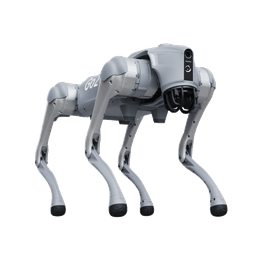
| Unitree Go2 | About 7-8 kg payload (AIR about 7 kg, PRO/X/EDU about 8 kg; maximum 10-12 kg) | Varies by version; EDU has an extra compute module (Orin) option | Light core (FLIR) and a sub-1 kg camera possible at the limit; Sunell not suitable (about 5 kg) | Research and light inspection; the Unitree page publishes no IP rating for the Go2; verify power output |
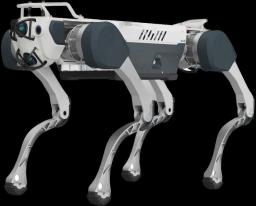
| DEEP Robotics X30 | 20 kg continuous payload, IP67, -20/+55 °C | X30 Pro: 24 V / 12 V / 5 V (USB) power; Ethernet, USB 2.0, USB 3.0. Standard X30: 72 V power, Ethernet | Sunell (IP66), Topotek FSD30G619 (IP67, mind the -10 °C lower limit) and an OEM core in a custom IP67 housing; the WIRIS IP54 class falls short of the robot's IP67 | A good match for IP67 outdoor and cold conditions; confirm interface pinout with DEEP Robotics |
| Lite3 | 2.5-5 kg continuous payload (by version), about 12-13.5 kg weight; 0/+40 °C, no published IP rating | By version: Discovery has Ethernet and external power (24/12/5 V); Pro and Laser add USB 3.0 and HDMI | Only a light OEM core or fixed camera; WIRIS (920 g) is feasible by mass but the centre of gravity matters; Sunell not suitable | Research and education class; limited for field inspection |
This table is a fit guide, not an approval: every combination needs power, network, mechanical and centre-of-gravity validation. The official pages unitree.com/b2 and unitree.com/go2 were used for Unitree B2 and Go2, the DEEP Robotics product page for the X30 and the DEEP Robotics Lite3 page for the Lite3.
Export control awareness: ECCN 6A003 and China's dual-use items list
Thermal imaging products are dual-use goods subject to export control in many countries. This section is not legal advice; it only lists the questions procurement teams should ask.
- US (ECCN 6A003): Teledyne FLIR states US Department of Commerce jurisdiction and ECCN 6A003.b.4.b for the Hadron 640R. The frame rate threshold (9 Hz) is distinguishing in this classification: Note 3.a to 6A003.b.4.b releases cameras with a maximum frame rate of 9 Hz or less, which then fall under ECCN 6A993.a. However, 15 CFR 744.9 still imposes licence requirements on 9 Hz and slower cameras for military end users or for incorporation into military commodities (ECCN 0A919). Classifications can be written differently at family and product level on the same manufacturer's pages (for example the FLIR Boson page states 6A003.b.4.a, the Hadron 640R FAQ states 6A003.b.4.b); get the class of the exact part number in writing from the manufacturer or the authorised channel. For the published framework see 15 CFR Part 774 and 744.9 on eCFR and the Federal Register rule of 23 February 2024 (Sources).
- China (MOFCOM): Announcement 2024 No.31 of MOFCOM, the General Administration of Customs and the Equipment Development Department of the Central Military Commission (published 31 July 2024, effective 1 September 2024) placed under licence, among payloads specially designed for specified unmanned aerial vehicles, infrared imaging devices with a wavelength range of 780-30,000 nm and an instantaneous field of view (IFOV) below 2.5 mrad. As an example, a 12 micron pixel pitch with a 25 mm lens gives about 0.48 mrad IFOV, so many 640x512 gimbals meet this criterion numerically. This announcement is no longer in force: MOFCOM's legal database shows it as expired. Since 1 December 2024 China applies the Dual-Use Items Export Control Regulations together with the unified Dual-Use Items Export Control List published by Announcement 2024 No.51. MOFCOM stated that the list consolidates items previously controlled under separate announcements without changing the scope of control; however, we could not verify from an official source under which code and threshold the UAV payload items appear in the new list. Do not rely on the older announcement; ask the Chinese exporter for a written classification against the current list and, if needed, confirmation of the licence process. Whether a gimbal used on a robot falls in scope is a matter of legal interpretation.
- EU-origin products: The Workswell brochure states the products are designed and manufactured in the EU and are not subject to US ITAR regulation; that does not mean exemption from export legislation. Request the export authorisation position per product and destination from the manufacturer.
Important: End-user statements, re-export restrictions and military-use bans can affect your contract terms. Have export control, classification and licensing questions confirmed by your legal counsel.
Selection checklist
- Task definition: close-range measurement, remote reading or perimeter surveillance?
- Is radiometry needed? Are accuracy and upper measurement limit (for example 150 °C or 350 °C) in writing?
- Frame rate: stop-and-look or scanning on the move? Separate part numbers and export classes for 9 Hz and 30/60 Hz.
- Interface: is there an embedded computer? Ethernet/RTSP/ONVIF or a USB/MIPI core?
- Power: voltage (12 V, 24 V), maximum draw and the robot port's current capacity.
- Weight: the robot's walking payload and centre-of-gravity effect.
- IP class and temperature range compatible with the robot?
- Stabilisation: gimbal, PTZ or fixed; vibration data for walking robots.
- Offline operation and outbound-connection checks.
- Export class, licence process and end-user statements in writing and confirmed by legal counsel?
How does Robotlar.org help?
As the official Unitree distributor in Turkey, Robotlar.org handles sales, installation and technical support for the Unitree B2, Unitree Go2 and other Unitree platforms, and provides integration for DEEP Robotics robots. We are not an authorised distributor or official representative of thermal camera, gimbal or other sensor manufacturers; for those products we provide integration and corporate procurement support.
- Requirements analysis: turning task, site conditions and the robot-camera match into a written specification using the checklist above.
- Integration: mounting plate, power conversion, network connection, ROS 2 bridge and operator interface.
- Pilot: a short field trial that validates vibration, IP and temperature assumptions in real conditions.
- Corporate procurement: export class and end-user documents clarified together with the manufacturer.
Send your detailed requirements through the quote form; for general robot selection see the robot buying guide.
Sources
- Teledyne FLIR, Hadron 640R FAQ: oem.flir.com Hadron 640R
- Teledyne FLIR, Boson family: oem.flir.com Boson
- Workswell, WIRIS Enterprise G datasheet (9 Feb 2026, preliminary): WIRIS Enterprise G datasheet
- Workswell, WEOM brochure: WEOM-2026.pdf
- Sunell, SN-TPT6434QZ-M product page: sunellsecurity.com
- Topotek, DHU30G625 product page: topotek.com DHU30G625
- Topotek, FSD30G619 product page: topotek.com FSD30G619
- Boston Dynamics, Spot CAM+IR datasheet: spot-cam-plus-ir.pdf
- Unitree B2: unitree.com/b2; B2-W: unitree.com/b2-w; Go2: unitree.com/go2
- DEEP Robotics X30: deeprobotics.cn X30; Lite3: deeprobotics.cn Lite3
- US EAR, CCL ECCN 6A003 and 6A993 (15 CFR Part 774, eCFR): 15 CFR Part 774; restrictions on certain cameras: 15 CFR 744.9
- US Federal Register, 23 Feb 2024 (BIS camera licence requirements): 2024-03661
- MOFCOM legal database, Announcement 2024 No.31 (expired): policy.mofcom.gov.cn; Thomson Reuters summary: China: export control measures of UAVs
- MOFCOM, Dual-Use Items Export Control List (Announcement 2024 No.51, in force from 1 Dec 2024): gov.cn