Three Calibration Types and Two Camera Models
According to the README, UNICALIB performs three types of calibration:
- intrinsic calibration: left and right wrist cameras, the head's left and right cameras, or images in any folder
- extrinsic calibration: the head stereo camera pair, or the user's own multi-camera data
- hand-eye calibration (eye-in-hand): camera on the wrist, board fixed
The Pinhole model (OpenCV k1, k2, p1, p2, k3 coefficients) is used for lenses with a field of view up to 120 degrees. Wider lenses use the Fisheye KB model, which follows the same Kannala-Brandt KB4 structure as OpenCV's cv2.fisheye.
The board can be a plain chessboard or a ChArUco board, and the interface generates a 1:1 scale PDF for both. A ChArUco board may extend partly outside the frame. According to the documentation, for intrinsic and extrinsic calibration it is enough for at least 30% of the board and at least 8 corners to be visible in each view.
During live capture the program checks every pose. For intrinsics, the board has to be captured in the center, in the four corners and along the four edges, tilted about both axes and covering more than half of the frame. The program collects at least 20 and at most 40 images.
Hand-Eye Calibration on the Unitree G1 Humanoid Robot
Hand-eye calibration, which finds the position of the wrist camera relative to the arm, currently works with live robot data on three models. Joint states and the commands that hold the arm in place go from the computer over DDS, so nothing extra has to be installed on the robot.
| Robot | Note in the documentation |
|---|---|
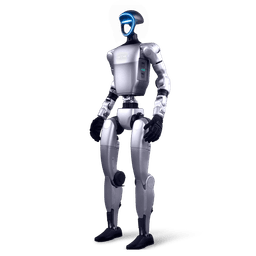
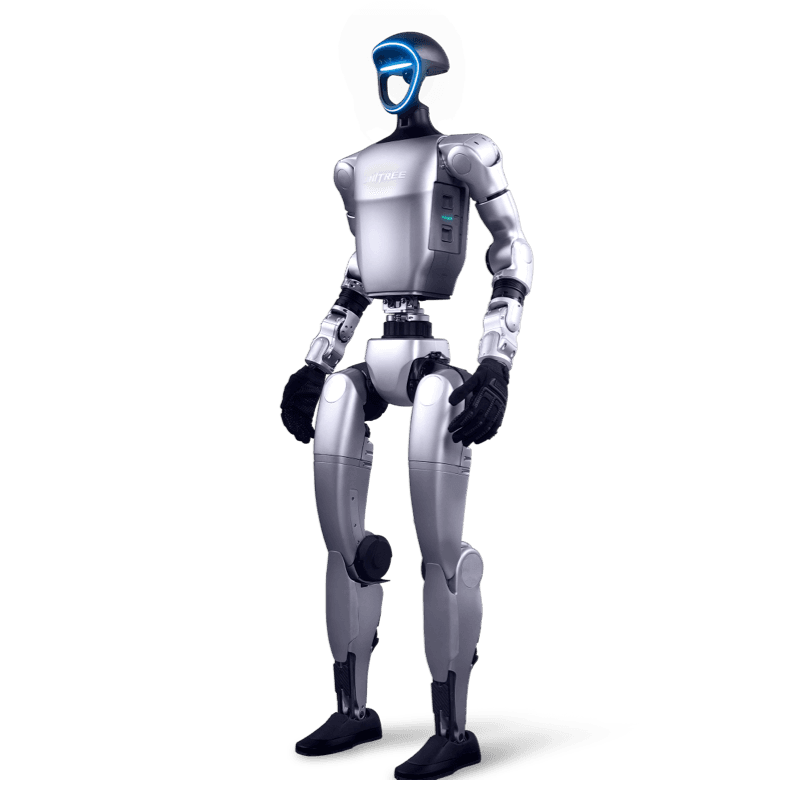
| G1 (29 DoF) | The torso must be fixed, hung or propped. Waist-locked versions are not supported yet. |
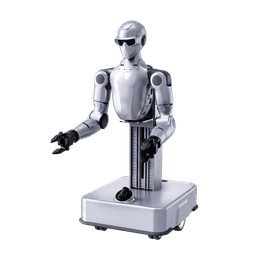
| G1-D | Wheeled base, not moved during calibration. |
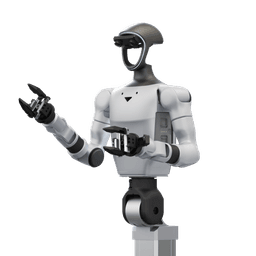
| R1-A7-D | The program switches the robot into debug mode at the start, and the robot is rebooted to restore normal motion. The lift must be homed. |
The supported G1 body is the 29-DoF version. From the R1-D family, only the R1-A7-D configuration is on the list. On models not in the list, such as the 23-DoF G1 or the waist-locked G1, the program does not start live capture and never connects to the robot. In that case the documentation points to the "custom data" route. The user supplies the camera images and the wrist pose for each image as files, and the result is saved only on the computer.
In live capture, the user moves the arm by hand to a pose, presses Capture and lets go. The program holds the arm in place, waits for it to settle, captures for about 1 second and then releases the arm. At least 15 groups are needed, or 20 with joint offset compensation enabled. The documentation recommends a wired connection, because hold commands are sent at 250 Hz and Wi-Fi packet loss degrades the hold.
Installation and the TeleImager Requirement
UNICALIB ships as a single-file AppImage and needs no installation. According to the documentation, an x86_64 Linux system with glibc 2.35 or later (Ubuntu 22.04 or newer) is enough. No Python or other dependencies are required. The unitree_sdk2py and Cyclone DDS components needed for hand-eye calibration are bundled.
For live capture, Unitree's TeleImager image service must be running on the robot. TeleImager is a server that captures images from multiple cameras (UVC, V4L2, GStreamer and RealSense) and publishes them over the network with ZeroMQ or WebRTC. UNICALIB works with TeleImager commit 940fd69, that is, the version after v2.0.8 and before v2.1.0. According to Unitree's note, v2.1.0 changed the camera configuration format, and that version and later are not supported yet. The documentation therefore recommends installing TeleImager from source at that commit rather than with pip.
The computer must be able to reach the robot's IP address (default 192.168.123.164), and SSH must be enabled on the robot. UNICALIB reads the robot ID over SSH and writes the results to the /home/unitree/calib/ folder on the robot.
Acceptance Checks and Copying to the Robot
For each task the interface shows the RMS and P95 of the reprojection error and the number of frames used. A task is marked "Usable" only if it passes every check. The default hand-eye acceptance thresholds are:
- reprojection error of at most 5 pixels
- board position consistency within 10 mm
- rotation consistency within 1 degree
- at least 15 groups
- a total rotation span of at least 30 degrees
The 3D view in the result panel draws the robot, the calibrated camera's position and field of view, and the board in the same scene, and the captured poses can be stepped through group by group.
When copying to the robot, the program first reads the existing uniclib_calibration.json file on the robot and compares each item with the local result by RMS and P95. If the robot's result is clearly better, it is highlighted in red and kept by default. The old file is kept as a time-stamped backup. The robot ID is checked again before writing, and the copy is cancelled on a mismatch.
License and Roadmap
According to the LICENSE file in the repository, the tool is released under the Apache 2.0 license. HangZhou YuShu Technology (Unitree Robotics) is listed as the copyright holder. The file also states that the tool builds on three.js, FastAPI, unitree_sdk2_python, Cyclone DDS, TeleImager and unitree_ros, and that the licenses of those projects should be checked separately. The interface is available in Chinese and English.
The TODO list has two items. The first is eye-to-hand calibration, where the camera is fixed outside the robot. The second is support for older glibc versions such as Ubuntu 20.04.
Camera Calibration with the Unitree G1 in Turkey
For university labs and R&D teams in Turkey, UNICALIB offers a way to calibrate cameras without writing robot-specific scripts. A team working on grasping or vision-based manipulation with a wrist camera can see the hand-eye result together with the robot's URDF model in one interface and compare it with the real robot in the 3D view. In a course or workshop, the board PDF, the pose prompts and the acceptance thresholds help every student follow the same method.
Robotlar.org is the official Unitree distributor in Turkey. For hardware details, see the Unitree G1 page, the Unitree G1-D page for the wheeled data collection body, and the Unitree R1-D page for the dual-arm platform. We cover software development on the G1 in the G1 SDK development guide and the Python interface in the Unitree Python SDK guide. You can ask us for a demo, technical information or a quote for your lab. We work out the configuration of the robot and its camera setup with you during the discovery phase.
Sources
- UNICALIB repository (Unitree Robotics, GitHub)
- UNICALIB README (English)
- UNICALIB README (Chinese)
- Hand-eye calibration documentation
- Acceptance criteria documentation
- Copying results to the robot documentation
- URDF files for hand-eye calibration
- UNICALIB license file
- UNICALIB commit history
- TeleImager repository (Unitree Robotics, GitHub)