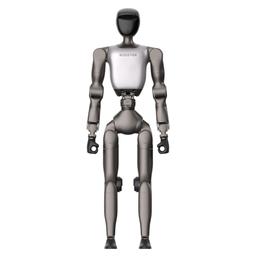
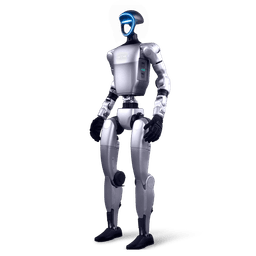
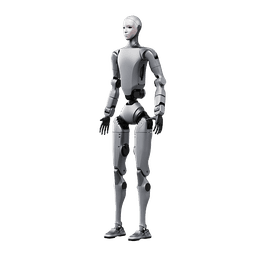
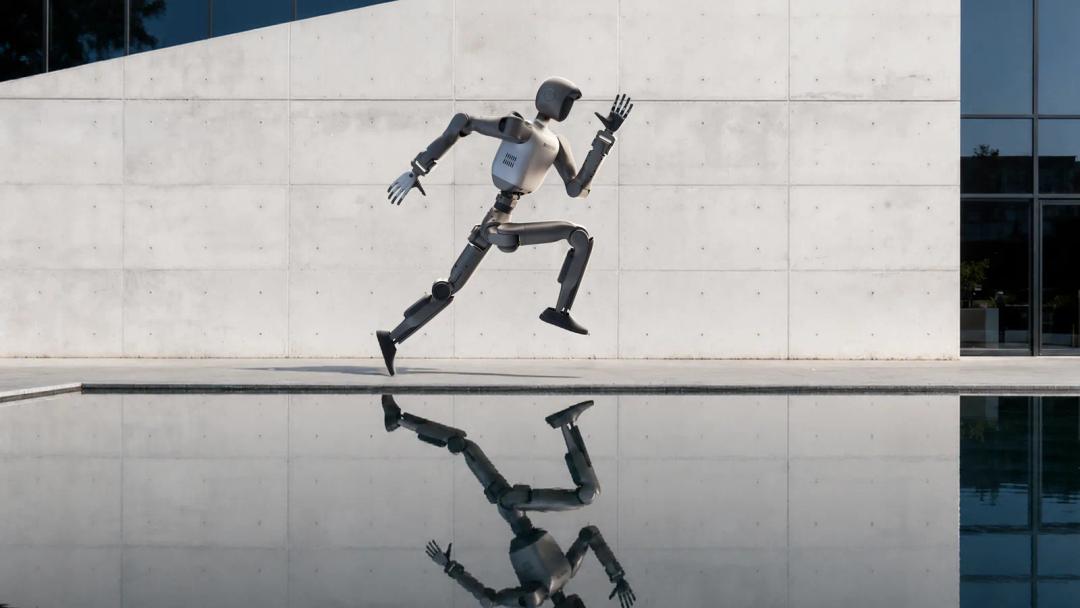
What is the Booster T2?
The Booster T2 is a humanoid robot that Booster Robotics unveiled at the World Artificial Intelligence Conference (WAIC) on 10 July 2026. It stands about 1.4 m tall and has 31 degrees of freedom excluding hands. It is the company's largest model today. A two-finger gripper or a five-finger dexterous hand can be fitted to the wrists, and onboard compute comes in two editions.
Booster's English press release went out from Santa Clara on 13 July 2026 and stated the goal plainly. The company wants to move humanoid robots from machines that "can move" to machines that "can work". That is why it offers the T2 to academic research teams, independent developers and teams working on embodied AI. The product page lists education, applications and events as solution areas, and names Booster Champion and RoboCup as competitions.
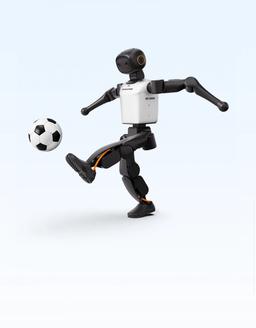
The T2 should not be confused with the smaller model in the family. The Booster K1 is a compact robot about 95 cm tall, designed for schools and robot soccer. The T2 is a research robot closer to human scale that accepts hands at the wrists. Both use the same SDK family, but Agent packages written for the T2 are built separately. The history of the company, founded in June 2023, is in our Who is Booster Robotics guide.
Values such as 34 degrees of freedom, a height of about 160 cm and a weight of about 50 kg, which appear in some videos and posts, are not the T2's official figures. According to the manufacturer's specification table, the T2 is about 1.4 m tall, has 31 degrees of freedom excluding hands and weighs about 42-43 kg. The official compute values are 375 TOPS (INT8) for Education and 2070 TFLOPS (FP4, sparse) for Professional.
Who is the Booster T2 for?
The Booster T2 is for university labs, R&D teams and embodied AI researchers who will build their own software on the robot. For school and high school classrooms, the smaller Booster K1 is usually the better fit.
The T2 ships with ready-made demo motions, but the team that develops its own software on top of it gets the most from it. The edition is set not by the body but by how much compute you want on the robot. If you train policies on a workstation and send them to the robot only to run, Education handles most work. If you want to run vision-language-action (VLA) models on the robot itself, look at Professional. In factory scenarios, the T2 is a tool for R&D and pilot projects.
Which edition for which need
The table below is Robotlar.org's recommendation. We make the final call in a discovery call, based on the details of your project.
| Need | Edition | Why |
|---|---|---|
| Locomotion and control research | E1 or P1 | No hand needed, ready walking policy |
| Manipulation and VLA | P2 or P3 | Thor, 128 GB, wrist camera |
| University course | E1 or E2 | Same hardware, virtual robot |
| Robot soccer | T2 or K1 | T2 support on a trial branch |
| Schools | Booster K1 | Small, light, classroom-friendly |
| Trade shows and demos | E1 | Ready Agents and demo motions |
For locomotion research, the starting point is the ready-made T2 walking policy in the booster_deploy repository. Motion-tracking policies are trained with booster_train. On the soccer side, the main branch of Booster's demo software is for K1 and T1, and T2 support sits on a separate trial branch.
Booster T2 editions: Education, Pro and the E1-P3 codes
The T2 comes in two editions: Education and Professional. Professional is often shortened to "T2 Pro". According to the official specification table, the mechanical body, sensors and battery are the same in both, and the only difference is the compute unit. Pro is not a stronger robot but a stronger brain.
The letter in the code shows the edition and the number shows the end effector. E stands for Education and P for Professional. 1 is the configuration without an end effector, 2 has a gripper and 3 has a five-finger dexterous hand. That gives six official codes.
| Code | Edition | End effector | Wrist camera | Weight |
|---|---|---|---|---|
| E1 | Education | None | No | ~42 kg |
| E2 | Education | Gripper | Yes | ~43 kg |
| E3 | Education | Dexterous hand | Yes | ~43 kg |
| P1 | Professional | None | No | ~42 kg |
| P2 | Professional | Gripper | Yes | ~43 kg |
| P3 | Professional | Dexterous hand | Yes | ~43 kg |
These six are the only official codes. Because several dexterous hand brands are supported, the hand on the "3" editions is chosen separately.
According to a 10 July 2026 report by the Chinese tech site IT Home (IT之家) and Sina, the Professional edition went on sale first on launch day. According to Booster's release notes, the first firmware supporting the Education edition is version 1.8.3, dated 19 October 2026. Education robots leave the factory with this version installed.
Body and motion: how the 31 degrees of freedom are distributed
The T2's 31 degrees of freedom are split as 6 per leg, 7 per arm, 3 in the waist and 2 in the head. Hands and grippers are not included in this number. The manufacturer's overview page lists the joints one by one.
- Head: yaw and pitch.
- Arm: shoulder pitch, roll and yaw, elbow, and wrist pitch, roll and yaw.
- Waist: pitch, roll and yaw.
- Leg: hip pitch, roll and yaw, knee, and ankle pitch and roll.
The waist is where this layout matters most. A three-axis waist lets the robot lean forward, bend sideways and turn the torso independently of the hips. Reaching for an object on a table or picking up a box near the floor needs this flexibility. Seven joints per arm also give each arm redundancy similar to a human arm. Because the same hand position can be reached with different elbow angles, motion planning around obstacles becomes easier.
The joints use high-speed inner-rotor permanent magnet synchronous motors (PMSM) with industrial crossed roller bearings at the joint output. Cooling is by air. According to the manufacturer, maximum peak joint torque is 140 N·m. Maximum dual-arm payload is 10 kg, and the manufacturer notes that this value varies significantly with arm posture.
| Item | Value (manufacturer) |
|---|---|
| Height | About 1.4 m |
| Weight | ~42 kg (E1, P1), ~43 kg (others) |
| Degrees of freedom | 31 (excluding hands) |
| Max joint torque | 140 N·m |
| Max dual-arm payload | 10 kg, posture-dependent |
| Motor | Inner-rotor PMSM |
| Cooling | Air |
| Battery | 48 V, 10 Ah |
| Runtime | ~2 hours walking |
| LiDAR | Optional |
Onboard compute: Jetson Thor T5000 versus Education
The Jetson Thor T5000 gives the Professional edition 128 GB of memory and a compute unit rated at 2070 TFLOPS (FP4, sparse) peak. Education has 16 GB of memory. That difference decides where your work runs.
There are two typical ways of working. In the first, the team trains a policy on a workstation or server and sends it to the robot only to run. A walking controller, motion tracking or course exercises fall into this pattern, and in our assessment Education is a sufficient computer for it. In the second, a large model that turns camera images and spoken commands into motion decisions runs on the robot itself. According to the press release, perception, multimodal understanding, task planning and whole-body control run in real time on board the Pro. We recommend Professional for that kind of research. How much memory a model needs varies from model to model, so we discuss size against your own model in the discovery call.
| Compute | Education | Professional |
|---|---|---|
| Processor | Arm Cortex-A78AE | Jetson Thor T5000 |
| Cores | 16, 1.9 GHz | 14 Neoverse-V3AE, 2.6 GHz |
| AI | 375 TOPS (INT8) | 2070 TFLOPS (FP4) |
| Memory | 16 GB | 128 GB |
| Storage | 512 GB | 512 GB |
The two performance numbers in the table cannot be compared directly. 375 TOPS is measured with 8-bit integer (INT8) operations. 2070 TFLOPS is a peak value given for 4-bit floating point (FP4) with sparse computation. Because they use different numeric precision and measurement conditions, deriving a "times faster" ratio from them is misleading. Booster presents Professional as the most powerful onboard platform currently available on bipedal humanoids.
Sensors and connectivity
The T2 sees the world through two binocular RGB-D cameras. According to the manufacturer, the head camera provides forward environment perception and the waist camera perceives the surroundings from a lower viewpoint. Editions with a gripper or hand add a Luxonis OAK-1-W RGB camera on the wrist, so the robot can watch the object it holds up close.
| Value | Head and waist | Wrist |
|---|---|---|
| Type | Binocular RGB-D | RGB, OAK-1-W |
| Resolution | 544×448 | 12 MP |
| Frame rate | 30 fps | Up to 60 fps |
| Field of view | 105°×94° | 120° diagonal |
| Depth | 0.5-6 m | None |
| Error at 1 m | ~3% | None |
| Editions | All | E2, E3, P2, P3 |
There is an IMU in the torso. The head carries a microphone array and a speaker, and a single RGB LED serves as a status indicator. The robot gives audible warnings for low battery and joint overheating. LiDAR is not standard. A Hesai JT128 with a 360° horizontal and up to 94.5° vertical field of view can be fitted as an option.
- Wireless: Wi-Fi 6 and Bluetooth 5.2.
- Wired: one Gigabit Ethernet port.
- Power and peripherals: locking USB Type-C.
Hands and end effectors: gripper and dexterous hand options
The T2's wrist can be configured three ways: bare, with a two-finger gripper or with a five-finger dexterous hand. The choice depends on the work. A gripper holds regular objects such as boxes and bottles firmly and repeatably. A dexterous hand is needed for research such as turning objects in the fingers or learning from demonstration.
Booster's hand page lists the officially supported end effectors.
- Gripper: Inspire EG2-5CD14-T1, a servo-electric two-finger model.
- BrainCo Revo 2: 6 active joints, 11 degrees of freedom.
- BrainCo Revo 3: 21 active degrees of freedom.
- Wuji Hand 2: 20 active degrees of freedom.
- Sharpa Wave W01.
The official body value is 31 excluding hands, and each hand adds its own degrees of freedom. For example, two BrainCo Revo 3 hands add 2×21 active degrees of freedom. This calculation from the joint counts on the official hand pages is ours, not a manufacturer figure.
The booster_assets repository contains T2 models with two gripper variants and with Revo 2 and Wuji hands as URDF and MJCF files. You can set these configurations up in simulation before the robot arrives.
Hand support grew with firmware. Version 1.8.1 brought gripper and dexterous hand support to the T2 Pro. Version 1.8.3 (19 October 2026) added Wuji Hand 2 and Sharpa Wave W01 support and what the release notes call radar function. We obtain values such as grip force and the load each hand can carry from the maker of the chosen hand and share them with the quotation. Other hand options are compared on our dexterous robot hands page.
Battery, charging and runtime
The T2 carries a 48 V, 10 Ah battery. According to the manufacturer, it provides about 2 hours of continuous walking. Consumption differs for lighter work such as tabletop manipulation or standing, but the manufacturer publishes only the walking figure.
Charging goes through a magnetic direct charging port on the body. According to the official specification table, the robot can also charge while in use. This matters for a lab routine. The robot can stay on charge while it hangs on a stand or stands during a code test, so the two hours go only to real walking trials.
According to the manufacturer's warranty terms, using a non-original battery or charger is not covered by warranty. We build the charging plan at the quotation stage, based on how many hours a day the robot will run, and confirm any spare battery option with the manufacturer in the quotation.
Software and SDK: Booster Studio, ROS 2, Python and C++
A developer's first week with the T2 usually starts on a computer. You send your first command with the Python SDK to the virtual robot in Booster Studio while the real robot is still in its case. Next you connect your own node to the robot's joint state and IMU data through the ROS 2 interface. Once you turn a working behaviour into an Agent package, it moves into the robot's own app and starts from the Booster App with one tap.
Booster describes Studio as a development environment that brings coding, simulation, debugging and deployment to the real robot into one place. Studio runs on Windows, macOS (Apple Silicon) and Ubuntu, and its latest version is 1.14.3, dated 16 November 2026. Underneath sit three programming interfaces.
- BoosterOS Python SDK: the boosteros package on PyPI (1.2.5). It needs Python 3.10 or later and supports K1, T1 and T2. The robot needs firmware 1.7 or later, and the package runs on the physical robot or on the virtual robot in Studio.
- C++ SDK: the booster_robotics_sdk repository. It runs on Ubuntu 22.04 LTS, communicates over Fast DDS and, according to its README, is licensed under Apache 2.0. Python bindings come as a separate package (booster_robotics_sdk_python, 1.6.3).
- ROS 2 interface: the booster_ros2_interface package in the booster_robotics_sdk_ros2 repository. LowCmd and LowState carry joint-level command and state, with separate messages for IMU, odometry, fall state and hand commands.
In Booster's documentation an Agent is a functional package that runs on the robot and registers its own interface component with the Booster App. On a real robot it needs firmware 1.7.0 or later. Example Agents include "Booster", which waves and shakes hands, and "Soccer", which plays soccer. An Agent written for the T2 is bound to the "Booster T2" or "Booster T2 Hand" model in its configuration file. It cannot be combined with T1 or K1 in the same package, because those robots use different Ubuntu versions.
Setup steps and sample code are in our Booster SDK development guide.
Simulation and learning: Booster Gym, Isaac, MuJoCo and sim2real
The T2's strength shows most in the workflow of training in simulation and running on the real robot. Booster splits this workflow into three GitHub repositories, and all three support the T2 directly.
- booster_train: reinforcement learning tasks on Isaac Lab. For the T2 it offers the BeyondMimic motion-tracking task (T1 and K1 are supported too). The repository is tested with Isaac Lab 2.3.2 and Isaac Sim 5.1.0, and its README has a separate section of sim2real notes for the T2.
- booster_deploy: a deployment framework that runs a trained policy first in MuJoCo (sim2sim) and then on the real robot (sim2real). For the T2 it includes a 31-joint configuration and ready-made walking (t2_walk) and dance (t2_dance) policies.
- booster_assets: URDF and MJCF model files for the T2, under the BSD-3-Clause licence.
These three repositories form a research loop. You teach a human motion recording to the T2 with BeyondMimic, check the result in a second physics engine, MuJoCo, and send only the policy that stays balanced there to the real robot. The ready-made walking policy also gives you a baseline to compare your own controller against. On 22 November 2026, Booster's GitHub account had 9 public repositories.
Booster Gym is a locomotion learning framework based on Isaac Gym and was prepared for the T1. According to its README, the new workflow consists of booster_train, booster_deploy and booster_assets, so we recommend starting T2 projects with those three repositories. The basics of reinforcement learning are in our guide to reinforcement learning with Booster Gym.
Use cases
The course, motion-tracking, demo and motion-from-video scenarios in this section rest on tools in Booster's documentation and repositories. We describe manipulation and VLA as a research goal. There, data collection and model training are built with the team's own software.
Courses and hands-on labs
In a robotics course, students can compute forward kinematics on the URDF model, try their first commands with the Python SDK on Booster Studio's virtual robot and send their own Agents to the real robot by the end of the term. The virtual robot lets a whole class work without waiting for a single robot, and the real T2 is shared during weekly lab hours.
Locomotion and whole-body control research
For doctoral and master's work, the T2 offers a human-scale robot with 31 joints. Policies that imitate human motion are trained with booster_train and tested first in MuJoCo, then on the robot, with booster_deploy. Whole-body coordination including the waist and arms is one of the capabilities the press release highlights for the T2.
Research goal: manipulation, VLA and multimodal models
Booster positions the Professional edition for perception and multimodal understanding running on board. According to the press release, the T2 can grasp objects while walking and perform two-handed tasks. With the wrist camera and a dexterous hand, a team can work on tasks such as picking objects from a table using its own data collection and training software.
Robot soccer and competitions
Booster has been a partner of the RoboCup Federation since December 2024. At RoboCup 2026 the large league was won with the T1, the medium league with the K1 and the small league with the K1 Air, and 38 teams in the tournament used Booster robots. Those titles were won by the T1 and K1 family. The T2 is the same maker's largest model, and its soccer software knows it too: robocup_demo has a separate trial branch for the T2. The manufacturer's own competition is introduced on our Booster Champion robot competition page.
Demos, reception and events
The Agents that ship with the T2 cover basic motion control, voice interaction and entertainment shows. The Hi Chat conversation Agent can switch personas. In the demo video, the Booster representative says this mode needs a Wi-Fi connection. At a trade show stand, the robot can greet visitors and perform a short dance in between.
Motion design from video
The Motion Creator tool in Booster Studio generates robot motion from a video or a BVH file, and the T2 is among its supported models. Generation runs in the cloud. A dance teacher's video can become a robot choreography in a few steps. According to Booster's documentation, a motion sent with this tool cannot be paused or interrupted once it has started on the physical robot. The document asks you to clear people and objects from the area beforehand and to stay on site. Keep the emergency stop options ready during this time as well (see Unboxing and the first day).
Unboxing and the first day
The T2 leaves the factory with software ready to run. On the Education edition firmware 1.8.3 is preinstalled, and the ready-made Agents come with the robot. Most of the first day is about safety and getting to know the robot.
- Prepare the space. Booster's overview page recommends doing whole-body dances on flat floors such as rubber, concrete or tile. High-friction floors such as carpet carry a fall risk. Keep people away from the robot while it moves.
- Learn the ways to stop it. The product page mentions soft and hard emergency stop. According to the manual, the soft emergency stop can be triggered from the remote controller, from the app or from the button on the back panel. The operator should know all three before the robot takes its first steps.
- Make the first move with the controller. The product page lists a handheld remote controller as available, and we state the box contents in the quotation. Walking is driven from the controller, and ready-made motions and Agent interfaces are managed from the Booster App.
- Set up the connection. According to the representative in the demo video, Hi Chat needs a Wi-Fi connection. The robot joins the network over Wi-Fi 6, and a development computer can also connect over Gigabit Ethernet.
- Back up before switching to development mode. The manufacturer's warranty terms exclude collisions, falls and forced joint limits caused by user code in development mode. Because data may be lost during repair, back up important data in advance.
At delivery we go through these steps with you on site. Besides the first start-up, the developer team's introduction to the SDK is part of the commissioning plan.
Impressions from the demo video
A good source for seeing how the T2 moves in a real office is the video "Demo of the Booster Humanoid Robot: T2", published on the Red Beard Pandas channel in October 2026. According to the channel's description, it shows a demo given by a Booster representative at the offices of Automation Creations, Inc., one of the channel's sponsors. The footage was not shot by Robotlar.org. The observations below are based only on what is seen and said in the video.
The video opens with the robot lying on carpet next to two wheeled Booster shipping cases, and a few seconds later the T2 is walking down a hallway. The representative walks it forward and back with a gamepad-style controller, then stops it on the spot with a command. In the representative's own words, "when you stop it, it will stop". In one short stretch the robot swings its arms and breaks into a jog, and the representative also tries a little running in the narrow hallway.
In the second part, the representative switches to the phone app. With a resting position command the robot crouches and lies on its back on the carpet, then gets up by itself with nobody touching it. A ready-made routine follows: a wide stance, arm swings, a forward lunge and knee bends. The people watching find the motion very fluid. The show takes place on carpet despite the manufacturer's carpet warning, and the robot does not fall. We still recommend following the official floor guidance in your own space.
The technical points the representative mentions match the official values. The battery lasts about two hours, the magnetic charging interface lets the robot charge while it works, and there is a speaker at the front. The representative says the Hi Chat conversation mode runs over a Wi-Fi connection and highlights this mode for interaction with children. In the meeting room presentation, screens for soccer simulation and one-click Agent deployment are visible. The representative explains that you can write your own Agent and send it to the robot easily.
In the last part of the video, the robot walks into an elevator under remote control, and inside the representative steadies it with a hand on its chest. The T2 then leaves the lobby and jogs across a lawn covered in autumn leaves. The robot in the video has no hand or gripper on its wrists, so it matches the E1 or P1 configuration. All figures in this guide come from the manufacturer's official specification table.
Humanoids similar to the Booster T2: a short comparison
Teams looking at the T2 often compare these four robots. Figures are approximate values taken from manufacturers and our site's product records.
| Robot | Height | Weight | Degrees of freedom | Use |
|---|---|---|---|---|
| Booster T2 | 1.4 m | ~42-43 kg | 31 | Advanced R&D |
| Booster K1 | 95 cm | ~19.5 kg | 22 | Schools, soccer |
| Unitree G1 EDU | 1.32 m | ~35 kg+ | 23-43 | R&D, education |
| Unitree H2 | 1.82 m | ~70 kg | 31 | Full size |
Two things set the T2 apart in this table. First, the Jetson Thor T5000 is a standard part of the Professional edition (on the Unitree H2 EDU a module of this kind is optional). Second, the T2 sits at a middle scale between compact and full-size robots. The Unitree G1 is lighter and smaller, and its 3D LiDAR is standard. On the T2, LiDAR is optional. The Unitree H2 is a full-scale robot at human height. According to the manufacturer, the T2's maximum dual-arm payload is 10 kg. The detailed table is in our G1 EDU vs T2 Pro comparison.
Buying, delivery, installation and support in Turkey
Robotlar.org is the official distributor of Booster Robotics in Turkey. Every step for the T2, from pre-sales to service, comes from one source.
- Discovery call. We define the purpose of your project, the edition you need (Education or Professional), the end effector, the LiDAR requirement and the quantity.
- Quotation and pro forma. The price depends on the edition, end effector, options, quantity and delivery terms. We send the quotation as a pro forma including taxes and freight.
- Delivery. We state the delivery time in the quotation according to edition and configuration.
- On-site commissioning. We set up the robot at your site and run the first start-up and safety checks with your team.
- User training. We train operators on safe use and developers on the SDK and the simulation workflow.
- Service and warranty. According to the manufacturer's product page, the standard warranty is 1 year and an extended warranty is available. We state the warranty scope and duration in Turkey in the quotation.
How the price is built is explained on the Booster T2 price and quotation page. If your project is ready, request a Booster T2 quote with your intended use and the edition you have in mind. We will schedule a short discovery call and choose the right configuration with you.
Is the Booster T2 sold in Turkey, and who sells it?
Yes. The Booster T2 is sold and serviced in Turkey through Robotlar.org. Purchases go through a formal quotation, and delivery and installation are part of it. The general process is in where to buy Booster Robotics in Turkey.
Who is the official distributor of the Booster T2 in Turkey?
Robotlar.org is the official distributor of Booster Robotics in Turkey. Sales and warranty handling for Booster products in Turkey go through Robotlar.org.
Why is the Booster T2 price not fixed, and how is a quotation prepared?
The T2 price is set by the configuration you choose. The edition and end effector are the first two items that set the price. Options such as LiDAR, quantity and delivery terms are also factored in. Robotlar.org quotes the price as a pro forma including taxes and freight. To plan a budget together with other models, the Booster robot prices page is a good starting point.
Should I buy the Booster T2 Edu or Pro?
Choose Pro if you will run large vision-language-action (VLA) models on the robot itself. Edu is enough if you train policies on a workstation and only run them on the robot. According to the manufacturer, Professional was designed to run perception and control on board in real time, and it carries 128 GB of memory. Education has 16 GB of memory and 375 TOPS (INT8).
Is the T2 Pro body stronger than the Edu?
No. According to the manufacturer's specification table, the mechanical body, sensors and battery are the same in both editions. The 31 degrees of freedom, the 140 N·m maximum joint torque and the 10 kg dual-arm payload apply to both. The only difference is the compute unit.
Which of E1, E2, E3, P1, P2 and P3 should I choose?
Your end-effector need comes first, then your compute need. For locomotion and control research no hand is needed, so E1 or P1 is enough. For grasping tasks the gripper editions E2 or P2 fit, and for finger-level manipulation the dexterous hand editions E3 or P3. The wrist camera is standard on gripper and hand editions.
How heavy and how tall is the Booster T2?
According to the manufacturer's specification table, the Booster T2 is about 1.4 m (140 cm) tall. It weighs about 42 kg in E1 and P1 without hands and about 43 kg with a gripper or hands. It has 31 degrees of freedom excluding hands.
How much weight can the Booster T2 carry?
According to the manufacturer, the T2 carries up to 10 kg with both arms. This value varies significantly with arm posture. As a general rule, the further the arms reach forward, the less load they can carry. If your scenario involves carrying loads while walking, we clarify the conditions with the manufacturer and write them into the quotation.
How long does the Booster T2 battery last, and how is it charged?
According to the manufacturer, the 48 V, 10 Ah battery gives about 2 hours of continuous walking. Charging goes through a magnetic direct charging port on the body, and the robot can also charge while in use. For warranty purposes, use only the original battery and charger.
Does the Booster T2 work with ROS 2, and which languages can I program it in?
Yes. Booster's booster_robotics_sdk_ros2 repository provides a ROS 2 interface with messages for joint command and state, IMU, odometry and hand commands. For Python there is the boosteros package, and for C++ the booster_robotics_sdk repository. The Booster Studio development environment runs on Windows, macOS and Ubuntu.
Can I train the Booster T2 in simulation and transfer to the real robot?
Yes. Motion-tracking policies are trained in Isaac Lab with booster_train and run first in MuJoCo, then on the real T2, with booster_deploy. booster_deploy ships with ready-made walking and dance policies for the T2, and booster_assets provides the T2's URDF and MJCF models. The booster_train README includes separate sim2real notes for the T2.
Is the Booster T2 suitable for robot soccer and RoboCup?
The T2 can be used for soccer research, but today's RoboCup titles belong to Booster's smaller robots. At RoboCup 2026 the large league was won with the T1, the medium league with the K1 and the small league with the K1 Air. In Booster's robocup_demo software, T2 support is on a separate trial branch. For league rules and platform choice, see our guide on humanoid soccer robots and RoboCup.
Is the Booster T2 suitable for a middle school or high school, or should I buy a K1?
For middle and high schools the Booster K1 is usually the better fit. The K1 is about 95 cm tall and weighs about 19.5 kg, so it is easy to carry and manage in a classroom. The T2, at 42-43 kg, was designed for university labs and R&D teams. School options are covered in our Booster K1 for schools guide.
What is the main difference between the Booster T2 and the Unitree G1?
The main difference is scale and onboard compute. The T2 is about 1.4 m and 42-43 kg, while the Unitree G1 is 1.32 m and about 35 kg. Jetson Thor T5000 is standard on the T2 Professional. The G1 comes with 3D LiDAR as standard, while LiDAR is optional on the T2.
What is the delivery time, and are installation and training included?
The delivery time depends on edition and configuration, and we state it in the quotation. At delivery we set up the robot at your site and run the first start-up. Operator training and training for the developer team on the SDK and simulation workflow are part of the commissioning plan.
How do warranty and technical service work in Turkey, and are spare parts available?
Warranty and service in Turkey go through Robotlar.org. According to the manufacturer's product page, the standard warranty is 1 year and an extended warranty option is available. The warranty scope and duration in Turkey are given in writing in the quotation. The manufacturer's exclusions include falls, contact with liquids, unauthorised disassembly, non-original batteries and damage caused by user code in development mode. We provide the spare parts and repair plan with the quotation.
Sources
Last updated: 22 November 2026. Technical values were taken from the official sources below.
- Booster T2 product page
- T2 specifications (Booster docs)
- T2 overview (Booster docs)
- T2 gripper and dexterous hand
- Firmware 1.8.3 release notes, Firmware 1.8.1 release notes
- Booster Studio download page, Booster Studio 1.14.3 release notes
- Motion Creator
- BoosterOS Python SDK, boosteros (PyPI)
- Agent development
- About Booster Robotics and timeline
- Booster warranty terms
- booster_train, booster_deploy, booster_assets
- booster_robotics_sdk, booster_robotics_sdk_ros2, robocup_demo, booster_gym
- Booster T2 press release (Newsfile, 13 July 2026)
- IT Home (IT之家) / Sina, 10 July 2026 (launch-day sales)
- Red Beard Pandas, Demo of the Booster Humanoid Robot: T2 (YouTube)