What is Kimodo?
Kimodo is a text-to-motion model controlled with kinematic constraints. The technical report and the arXiv 2603.15546 paper describe the method and the training. NVIDIA provides four parts in the nv-tlabs/kimodo repository:
- Inference code and a command-line tool to generate motion on human and robot skeletons.
- An interactive browser demo where you arrange text prompts and constraints on a timeline.
- A benchmark suite and evaluation code built on the BONES-SEED dataset.
- Fine-grained temporal text annotations added to the BONES-SEED clips.
The first open-source release came out on 16 March 2026 with five model variants. The SOMA-RP-v1.2 models released on 15 October 2026 were trained on corrected data splits for benchmark compatibility. The same team's ARDY project builds on Kimodo and brings the same control to real-time generation.
How does Kimodo work?
Kimodo is an explicit motion diffusion model. It generates motion by cleaning up a noisy sequence of skeleton poses step by step. At each step the model takes an embedding of the text prompt, the set of constraints and the current noisy motion. Constraints are written in the same representation as the motion and overwrite the matching values in the noisy motion, and a mask marks which elements are constrained.
The denoiser is a two-stage transformer. The root denoiser first predicts the global root motion, which is converted into a local representation and passed to the body denoiser, and the final output joins the two stages. According to the documentation, the smoothed root in the representation emulates paths drawn in animation tools, and the design also reduces artifacts such as floating and foot skating.
The constraint types are:
- Sparse 2D root waypoints and dense 2D root paths.
- Full-body keyframe poses at specific frames.
- Hand and foot (end-effector) targets that leave the rest of the body free.
- Toe and heel contact patterns. The model was trained for these too; the demo UI and Python API do not currently expose them.
Because it is hard for a neural network to follow constraints exactly, the demo and the command line include a lightweight post-processing step that settles the joints onto the constraints while minimising changes in acceleration and velocity.
Kimodo models and training data
A separate model was trained for each skeleton. Models download automatically on the first generation from the command line or the demo, so there is no manual download.
| Model | Skeleton | Training data | Release date |
|---|---|---|---|
| Kimodo-SOMA-RP-v1.2 | SOMA | Bones Rigplay 1 | 15 October 2026 |
| Kimodo-SOMA-RP-ArdyRep-v1.2 | SOMA | Bones Rigplay 1 | 15 October 2026 |
| Kimodo-SOMA-RP-v1.1 | SOMA | Bones Rigplay 1 | 10 April 2026 |
| Kimodo-SOMA-SEED-v1.1 | SOMA | BONES-SEED | 10 April 2026 |
| Kimodo-SOMA-RP-v1 | SOMA | Bones Rigplay 1 | 16 March 2026 |
| Kimodo-G1-RP-v1 | Unitree G1 | Bones Rigplay 1 | 16 March 2026 |
| Kimodo-SOMA-SEED-v1 | SOMA | BONES-SEED | 16 March 2026 |
| Kimodo-G1-SEED-v1 | Unitree G1 | BONES-SEED | 16 March 2026 |
| Kimodo-SMPLX-RP-v1 | SMPL-X | Bones Rigplay 1 | 16 March 2026 |
NVIDIA recommends the models trained on the full Bones Rigplay 1 dataset (700 hours) as the default. The BONES-SEED models use the public 288-hour data; they are less capable but useful for comparison with other models trained on the same data. The Rigplay data covers locomotion, gestures, everyday activities, object interactions, videogame combat and dancing, along with styles such as tired, angry, old or stealthy.
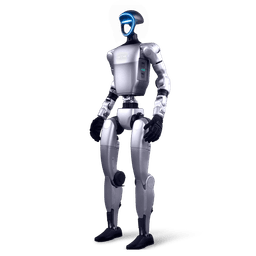
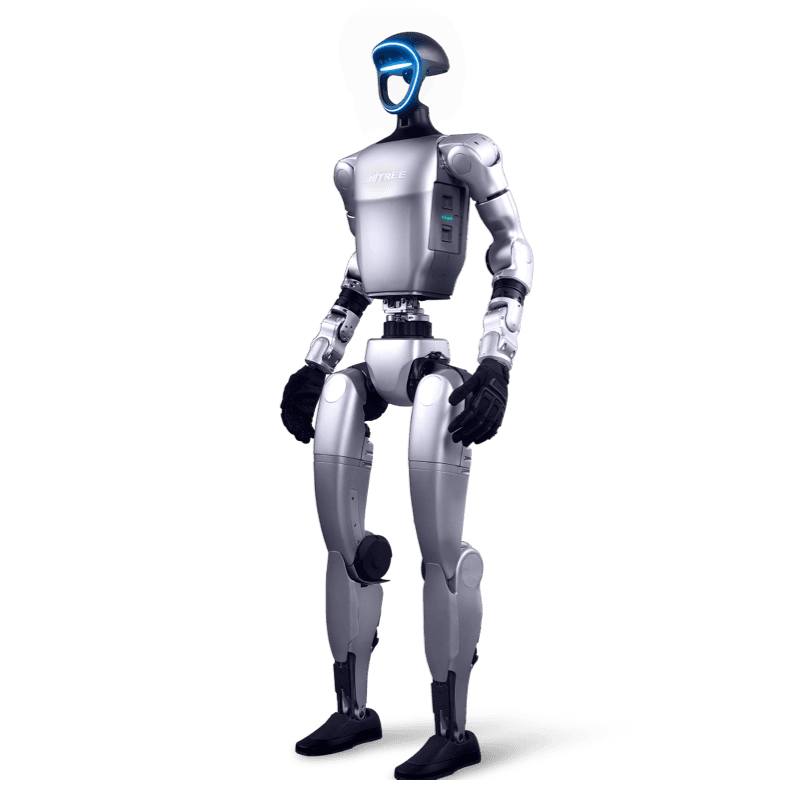
Kimodo with the Unitree G1
Kimodo's G1 models, Kimodo-G1-RP-v1 and Kimodo-G1-SEED-v1, generate motion directly on the G1 skeleton from text prompts and constraints. According to the documentation, the G1 skeleton Kimodo uses has 34 joints, with extra toe joints added to ease learning that are removed on export.
When you pass --output while generating with a G1 model, the tool writes MuJoCo qpos data to a CSV file. Each row is one pose with 36 values: the root x, y, z translation, a quaternion in w, x, y, z order and 29 joint values in G1 joint order. The CSV uses the MuJoCo coordinate convention, z up and +x forward. The python -m kimodo.scripts.mujoco_load script in the repository plays the file back in MuJoCo.
The README shows two routes on the robot side. Kimodo's NPZ and CSV outputs are compatible with ProtoMotions, so you can train physics-based policies on generated motion. NVIDIA also added Kimodo to the interactive GEAR-SONIC demo as a proof of concept: Kimodo generates kinematic motion on the G1 skeleton and GEAR-SONIC tracks it in simulation. Kimodo-SMPLX output is written as AMASS NPZ and can be retargeted to other robots with GMR.
Kimodo generates kinematic motion. When moving to a physical robot, the tracking controller, limit enforcement and safety validation are part of your workflow. The documentation notes that foot-skate and constraint post-processing currently gives limited results on the G1 skeleton.
Setup summary
Kimodo's text encoder uses the gated Meta-Llama-3-8B-Instruct model, so the first step is to request access to it on Hugging Face and log in with hf auth login. Then follow this order:
- Create a new Python environment (Python 3.10) and install a GPU-enabled PyTorch 2.0 or later build that matches your system.
- Install pip install git+https://github.com/nv-tlabs/kimodo.git for generation only, or the kimodo[all] package to include the demo. To work on the code, clone the repository and use pip install -e . or the Docker route.
- If you will run many generations in a row, start the text encoder service in the background with kimodo_textencoder.
- Generate from the command line with kimodo_gen, or open the demo with kimodo_demo and go to localhost:7860 in your browser.
Generating entirely on GPU needs about 17 GB of VRAM, most of it for the text encoder. On smaller cards, TEXT_ENCODER_DEVICE=cpu moves text encoding to the CPU and brings VRAM use below 3 GB. The model has been tested most on GeForce RTX 3090, GeForce RTX 4090 and NVIDIA A100 cards, and the repository was developed on Linux. You can find Turkish setup steps in our nvidia-kimodo-turkce repository.
Prompting and using constraints
NVIDIA's best practices page recommends starting prompts with "A person...", which matches the descriptions in the training data. Each prompt should focus on one or at most two behaviours; split a long sequence of actions into several prompts and generate them in order. In multi-prompt sequences each prompt should make sense on its own, because the second motion is conditioned on the last frames of the first and the transition happens at the start of the second motion.
The documentation gives the limits as numbers. A generated motion lasts at most 10 seconds per prompt, and each constraint type other than the root path should use fewer than 20 keyframes. When you need to balance prompt adherence against hitting constraints, adjust the classifier-free guidance weights; Kimodo offers a separated mode with independent text and constraint weights for this.
Licence split
In Kimodo, code and model weights come with different licences. If you plan a commercial project, review the table with your legal team first.
| Part | Licence | Note |
|---|---|---|
| Code and documentation | Apache-2.0 | nv-tlabs/kimodo repository |
| SOMA and G1 models | NVIDIA Open Model License | Shown on the Hugging Face download pages |
| Kimodo-SMPLX-RP-v1 | NVIDIA R&D Model License | Gated model |
| Text encoder model | Terms on the Hugging Face model page | Gated Meta-Llama-3-8B-Instruct |
The project also downloads third-party open-source packages during setup, and each one's licence terms are in its own repository.
Where to start with the G1, G1 EDU and G1-D
Kimodo runs on a workstation with an NVIDIA GPU and generates kinematic reference motion for the G1. The layer your work runs on decides the product.
| Work | Starting point | Related page |
|---|---|---|
| Generating and previewing G1 motion from text | Kimodo-G1-RP-v1, MuJoCo, a workstation without a robot | Open-source projects |
| Interactive, real-time generation | ARDY | ARDY guide |
| Inbetweening between target poses | MotionBricks G1 model | MotionBricks guide |
| Physics-based policy training on generated motion | ProtoMotions, G1 EDU | ProtoMotions guide, RL Gym |
| Tracking the motion on a real robot | GEAR SONIC, Unitree G1 EDU | GEAR SONIC guide, G1 EDU quote |
| Demonstration data and imitation learning | Unitree G1-D, teleoperation | G1-D, G1 teleoperation |
| Lab setup | G1 research platform | G1 research platform |
To transfer human motion to the G1, see the SOMA Retargeter guide, and for the training data side the BONES-SEED guide. For the Isaac GR00T workflow see our Unitree G1 and Isaac GR00T guide.
Frequently asked questions
Does Kimodo move the G1 directly?
Kimodo generates kinematic motion on the G1 skeleton. A tracking controller such as GEAR SONIC, or a policy trained with ProtoMotions, makes the robot follow that motion.
What hardware do I need?
An NVIDIA card with about 17 GB of VRAM to generate entirely on GPU. With text encoding moved to the CPU via TEXT_ENCODER_DEVICE=cpu, less than 3 GB of VRAM is enough.
In what format do I get G1 output?
A MuJoCo qpos CSV file alongside the default Kimodo NPZ file. Each row holds 36 values: root translation, root quaternion and 29 joint values.
How long is one generation?
One prompt generates up to 10 seconds of motion. Longer sequences use several prompts generated in order, and --num_transition_frames sets the transition between them.
What is the difference between Kimodo and ARDY?
Kimodo focuses on controllable offline motion authoring. ARDY builds on Kimodo and offers the same control in real time for interactive applications.
Is there a Turkish resource?
Yes. The nvidia-kimodo-turkce repository holds a Turkish translation of the Kimodo README and of the setup, CLI, constraint, output format and skeleton documentation.
Unitree G1 and Kimodo in Turkey
As Unitree Robotics' official distributor in Turkey, Robotlar.org works with teams researching on the G1 family. We published a Turkish translation of the Kimodo documentation in the nvidia-kimodo-turkce repository, based on NVIDIA's Apache-2.0 documentation. The Turkish repositories of the sibling projects are nvidia-ardy-turkce and unitree-g1-motionbricks-turkce.
In a discovery call we decide with you which layer your project starts on. Some teams begin by generating G1 motion from text on a workstation, others move on to tracking controller development on the G1 EDU. For configuration and pricing, use the enterprise quote form or the G1 EDU quote page. Options for universities and research labs are on the Unitree education solutions page.