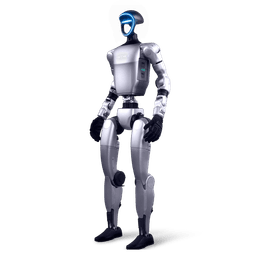
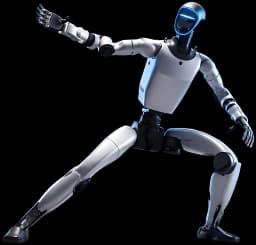
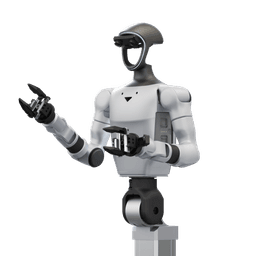
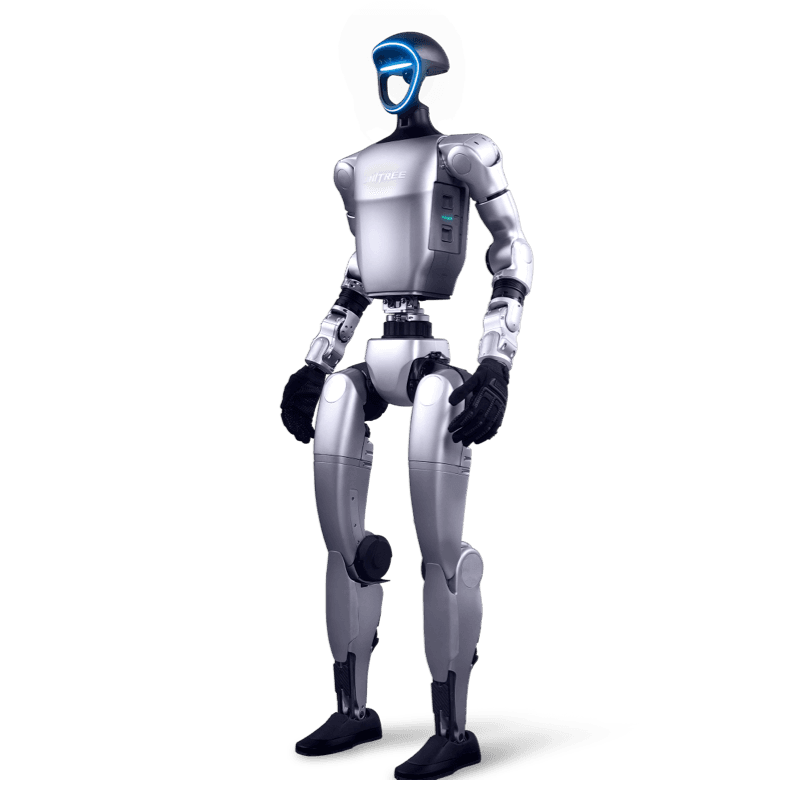
What is MotionBricks?
MotionBricks is an inbetweening model that fills in the motion between a character's four most recent poses and up to four target poses. The method is based on the paper presented at SIGGRAPH 2026 and published in ACM Transactions on Graphics 45(4) (arXiv 2604.24833). NVIDIA provides these parts in the repository:
- Pretrained models for the SOMA body model and the Unitree G1 in ONNX format. The weights are on Hugging Face.
- A Python runtime built on Warp, Newton and TensorRT that chains generations into continuous motion.
- Two demos. The Inbetweener generates motion between poses you place, and Scene Preview walks, runs, vaults and seats a character through a scene.
- Two editors to author your own Smart Primitives and scenes.
The first release was a Unitree G1 preview in the GR00T Whole-Body Control repository. MotionBricks now has its own repository and ships with the SOMA human model.
How does MotionBricks work?
Each generation fills in the motion between two sets of poses at 30 Hz. The context is the character's four most recent poses. The target is one to four poses the motion should reach. A single target pose sets where the character ends up and stops, and more poses also set how it moves at that point.
The model decides how long the transition takes. One generation produces 6 to 16 tokens of four poses each, or about 0.6 to 1.9 s of motion. Three learned modules share the work:
- The root module predicts the duration and the path of the root.
- The pose module is a masked token transformer that predicts the motion tokens along that path.
- The decoder turns the tokens into continuous motion that reaches the targets, using a VQ-VAE with several codebook heads.
Longer motion comes from chaining generations. The runtime plays the generated motion, records what it played and uses the last four recorded poses as the context of the next generation. Your application decides the targets. According to NVIDIA, that choice is what turns one inbetweening model into keyframe animation, continuous locomotion or object interaction. SOMA and G1 generate the same way and differ only in pose layout, so one code path drives both a human skeleton and a robot.
The Unitree G1 model: inputs, outputs and architecture
The MotionBricks-G1-RP-v1 model was trained on motion capture retargeted to a 34-joint Unitree G1 skeleton. According to the model card, the robot side consists of 29 joint angles and a floating root, and the checkpoint holds about 195 million parameters. Training used 313,526 clips selected from the Bones RigPlay 1 (RP1) corpus, which contains approximately 350,000 clips and 700 hours of motion. NVIDIA retargeted the human performances to the G1 with SOMA Retargeter.
Every pose holds 36 FP32 values: the root XYZ position, a quaternion in XYZW order and 29 joint angles. G1 model space is Z up with +X forward. Positions use meters, joint angles use radians, and the root joint is the pelvis.
| Component | Role | Parameters |
|---|---|---|
| Pose VQ-VAE | Encodes tokens of four poses and decodes motion; its codebook has 8 heads of 10 codes | 23.8 million |
| Pose model | Masked transformer that predicts motion tokens, 16 layers of width 1024 | 136.6 million |
| Root model | Predicts the duration and the root path | 34.1 million |
The ONNX model takes six inputs: the context_qpos and target_qpos tensors ([N,4,36]), three masks for root and body (has_global_root_values, has_local_root_values, has_local_poses) and allowed_pred_num_tokens, which holds the allowed token counts from 6 to 16. It returns pred_qpos ([N,64,36]), the chosen token count pred_num_tokens and pred_foot_contacts, four foot contact predictions per frame for the left heel, left toe, right heel and right toe. After the engine removes three boundary frames at each end, 18 to 58 valid frames at 30 Hz remain.
The model card describes the output as kinematic reference motion. On the robot, a downstream tracking controller handles dynamic balance, actuator limits, collision avoidance and contact tracking. Apply limit enforcement and safety validation before sending generated motion to a physical robot. The foot contacts are model predictions, not contact sensor readings.
ONNX and TensorRT runtime
The G1 model ships in ONNX format (opset 17) in two precisions: mmm_v6_g1_fp32.onnx for FP32 and mmm_v6_g1_fp16.onnx for mixed FP16, both in motionbricks/assets/onnx/unitree_g1. The apps use these bundled models, so the demos need no separate checkpoint download. For your own ONNX export or another runtime, download the SafeTensors weights from nvidia/MotionBricks on Hugging Face.
The entry point for integration is the MotionBricksUnitreeG1Engine class. The engine builds a TensorRT plan from the bundled ONNX model or loads a cached one, and keeps its buffers and CUDA graph between generations. Context and target are DOFToken objects that hold joint coordinates as Warp FP32 arrays. Generated motion goes into the same DOFAnimationBuffer type that loaded CSV clips use. No joint names are remapped, so you can sample straight into one robot's slice of a Newton model.joint_q.
The G1 TensorRT configuration disables TF32 in both precisions. According to the model card, enabling TF32 makes a batch of one only about 2 percent faster, while joint angles can differ by several degrees on identical inputs and the differences grow across chained generations. Pass TensorRTBuildOptions(enable_tf32=True) to allow it. Mixed FP16 and FP32 can also choose different motion tokens because of rounding.
Setup summary
The runtime uses TensorRT and therefore needs an NVIDIA GPU. The reference graphics card NVIDIA uses is the GeForce RTX 4090. The demos were run with this card on Windows and Linux (x86-64), and the model card lists TensorRT 10.8 as the inference engine. Setup takes four steps:
- Install Git LFS and uv.
- Clone the repository and run git lfs pull from its root.
- Install the dependencies with uv sync.
- On first launch, wait for the TensorRT plan to build. This takes a few minutes; plans are cached in .trt-cache/, so later launches start quickly.
Open the G1 Inbetweener with uv run python -m app.inbetweener_demo and the G1 gym scene with uv run python -m app.scene_preview --scene assets/scenes/g1_gym.scene.json. Add --model-precision fp16 to try mixed FP16. We collected Turkish setup notes and step-by-step explanations in our Turkish repository.
Smart Primitives and the scene editors
A Smart Primitive describes an action as target poses placed around an object. According to NVIDIA, this lets behaviors such as vaulting and sitting snap together like bricks with no retraining. In the Smart Primitive Editor you author the node hierarchy, target poses, interaction boxes, pivots and sequences. The Scene Editor places these primitives in a scene and writes the .scene.json document that Scene Preview opens.
Scene Preview walks and runs the character forward, and strafes it while facing the camera or while crouching. Six style modes, such as Skipping and Zombie, change how it walks. The library provides blend spaces and pivots for this. Open the editors with uv run python -m app.smart_primitive_editor and uv run python -m app.scene_editor. NVIDIA notes that target poses sampled from clips could also come from a motion generation model such as Kimodo or ARDY.
Licence split
Code, documentation, models and sample motions in MotionBricks have different licences. If you plan a commercial project, review the table below with your legal team first.
| Part | Licence | Scope |
|---|---|---|
| Code | Apache-2.0 | Including code examples and snippets in the documentation |
| Documentation and media | CC-BY-4.0 | NVIDIA-authored documentation text, images and videos |
| Models | NVIDIA Open Model Agreement | SOMA and G1 checkpoints and the ONNX models. Permits commercial use and redistribution of modified models, subject to the agreement's terms |
| Sample motions | NVIDIA Sample Data Evaluation License | Human BVH and retargeted G1 CSV clips, for evaluating and testing NVIDIA technologies |
The model card describes the G1 model as intended for commercial and non-commercial motion-generation applications. Dependencies and bundled robot assets keep their own licences. The TensorRT runtime packages are governed by the NVIDIA TensorRT Software License Agreement.
Where to start with the G1, G1 EDU, G1+ and G1-D
MotionBricks runs on a workstation with an NVIDIA GPU and generates reference motion for the G1. Moving to the robot goes through the SDK and a tracking controller, so the layer your work runs on decides the product.
| Work | Starting point | Related page |
|---|---|---|
| Animation and motion preview | The G1 scene in Newton, on a workstation without a robot | Open-source projects |
| Humanoid motion planning research | Unitree G1 EDU with SDK and ROS2 access | G1 EDU quote, SDK guide |
| Tracking reference motion with reinforcement learning | G1 EDU and simulation | RL Gym |
| Demonstration data and imitation learning | Unitree G1-D, teleoperation | G1-D, G1 teleoperation |
| Research and demos on the upgraded body | Unitree G1+ | G1+ |
| Lab setup | G1 research platform | G1 research platform |
The first G1 release of MotionBricks appeared in the GR00T Whole-Body Control repository, and NVIDIA presents the project as part of its humanoid motion work for animation, robotics and physical AI. For the Isaac GR00T workflow see our Unitree G1 and Isaac GR00T guide, and to bring demonstration data into training see our LeRobot guide. For the onboard Jetson Orin compute, the Jetson Orin guide helps as well.
Frequently asked questions
Does MotionBricks move the G1 directly?
MotionBricks generates kinematic reference motion for the G1. A downstream controller makes the robot track these poses, and actuator limits and safety validation are handled in that layer.
What hardware do I need?
An NVIDIA GPU that runs TensorRT. The reference graphics card NVIDIA uses is the GeForce RTX 4090, and the demos were run on Windows and Linux (x86-64).
Can I use it in a commercial project?
The code is Apache-2.0. The models come under the NVIDIA Open Model Agreement, which permits commercial use subject to its terms. The sample motion clips are for evaluation and testing.
How much motion does one generation give?
6 to 16 tokens, or 18 to 58 valid frames at 30 Hz. That is about 0.6 to 1.9 s. Longer motion comes from chaining generations.
Can I start without a robot?
Yes. The Inbetweener and Scene Preview demos animate the G1 in a Newton scene, so first experiments run on a workstation.
Is there a Turkish resource?
Yes. The unitree-g1-motionbricks-turkce repository holds a Turkish translation of the MotionBricks documentation and G1-focused setup notes.
Unitree G1 and MotionBricks in Turkey
As Unitree Robotics' official distributor in Turkey, Robotlar.org works with teams researching on the G1 family. We published a Turkish translation of the MotionBricks documentation in the unitree-g1-motionbricks-turkce repository. The translation is based on NVIDIA's documentation and shared with CC-BY-4.0 attribution. Our other Turkish repositories are unitree-g1-turkce, unitree-sdk2-turkce and unitree-teleoperasyon-turkce.
In a discovery call we decide with you which layer your project starts on. Some teams begin with motion preview on a workstation, others go straight to controller development on the G1 EDU or data collection with the G1-D. For configuration and pricing, use the enterprise quote form or the G1 EDU quote page. Options for universities and research labs are summarised on the Unitree education solutions page.